The finished film
The Completely Unnecessary Big Juicy Melons Tutorial
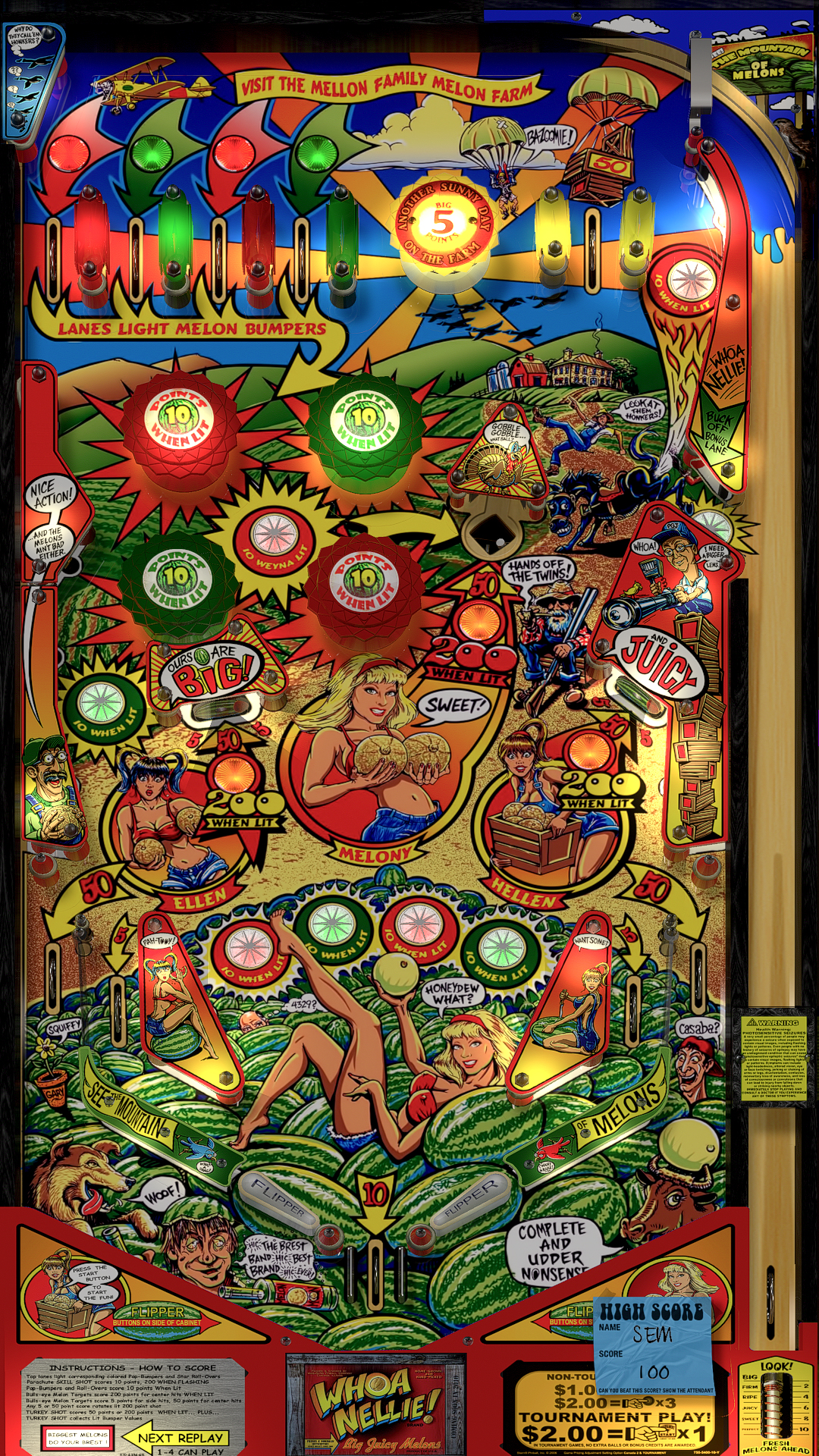
The Whoa Nellie guide began as a way to learn a table I am not very good at. I read the rules, marked the shots on the playfield, and made illustrated characters to help explain them. Then I animated the characters. Watching them move made the still page feel like the beginning of something.
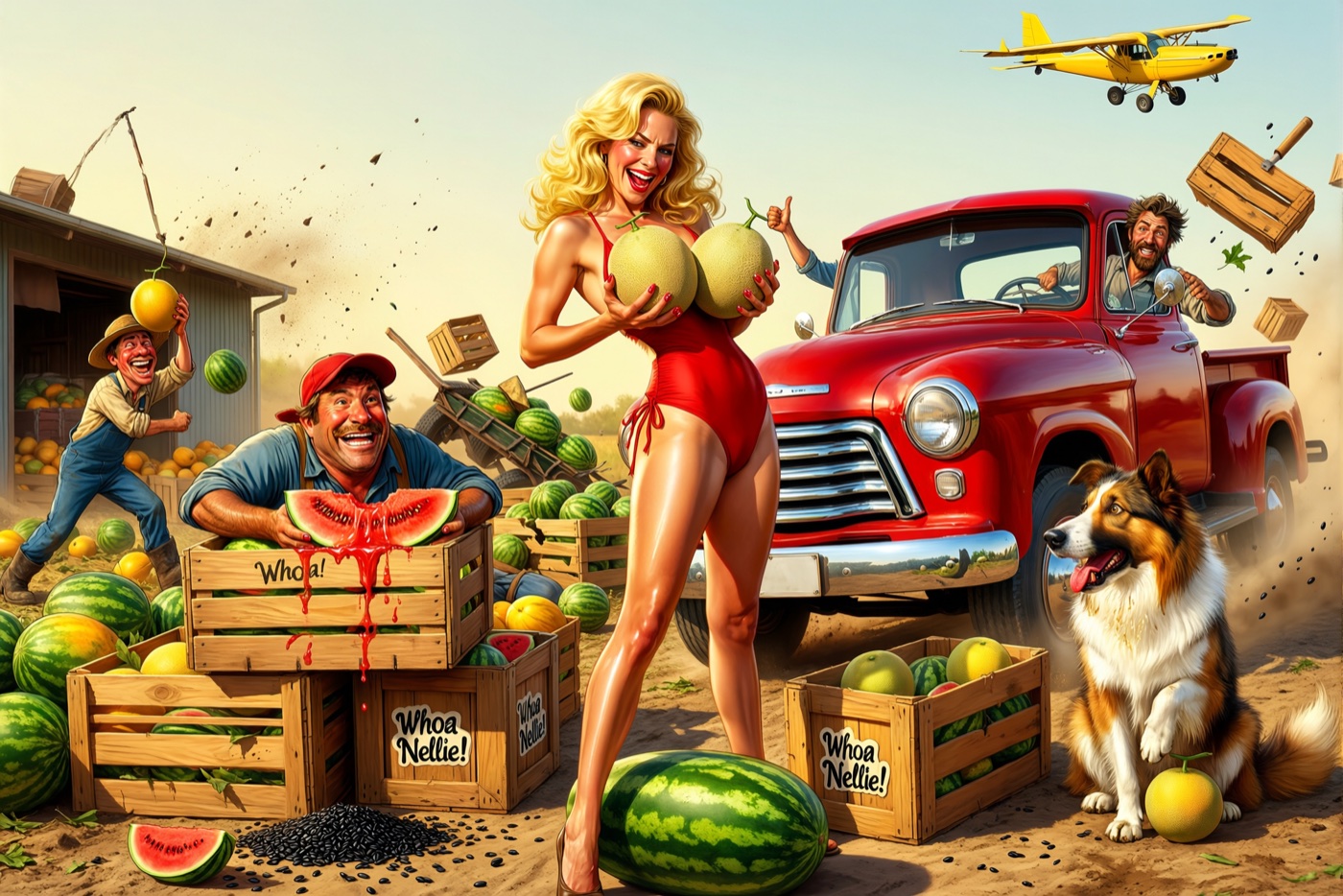
The table itself made me want to keep going. Whoa Nellie is ridiculous and obnoxious, and I like playing it. Pinups and breast jokes are all over it. I wanted the video to make fun of that while still explaining how to play. The characters I had animated for the guide gave me a place to start.
I tried laying out the lesson as slides: a rule, a picture of the table, a character to deliver it. That told me what the video needed to teach, but the cast had nowhere to go. Once I began asking where Melony was standing, who she was talking to, and what the camera could see, the slide deck became a storyboard.
Writing and direction
I had to make it interesting
I found AI really bad at writing an interesting script. No matter how I approached it, the creativity was poor. It was much more useful for evaluating something I had written, making a change I asked for, or carrying out a specific instruction. Coming up with something I wanted to watch still took a lot of work from me.
Implementing my vision could work quite well. I could give it a script, a storyline, a room, and characters, then ask for a particular action. That gave me material I could work with and try to bring to life. It still needed somebody to watch the result and explain why a scene was dead, an action had no energy, a person was not gesturing properly, or the camera movement was boring.
Telling the agent “this is not interesting enough” did not solve that problem. I had to decide what would make it more interesting: we need this shot, this movement, this gesture, or a different way of staging the action. Once I could say what I wanted, it could often implement the change. Finding the change was still my job.
Making a lot of takes helped. I could find things I liked in particular takes, compare them, change the direction, and try again. Sometimes a gesture or a movement gave me something to develop even when the rest of the take did not work. I kept changing things until I had material that was interesting to me and that I could use. The ability to make another take was useful because it gave me more to choose from, not because the next generation would necessarily have a better idea.
From page to screen
The slides told me what to shoot
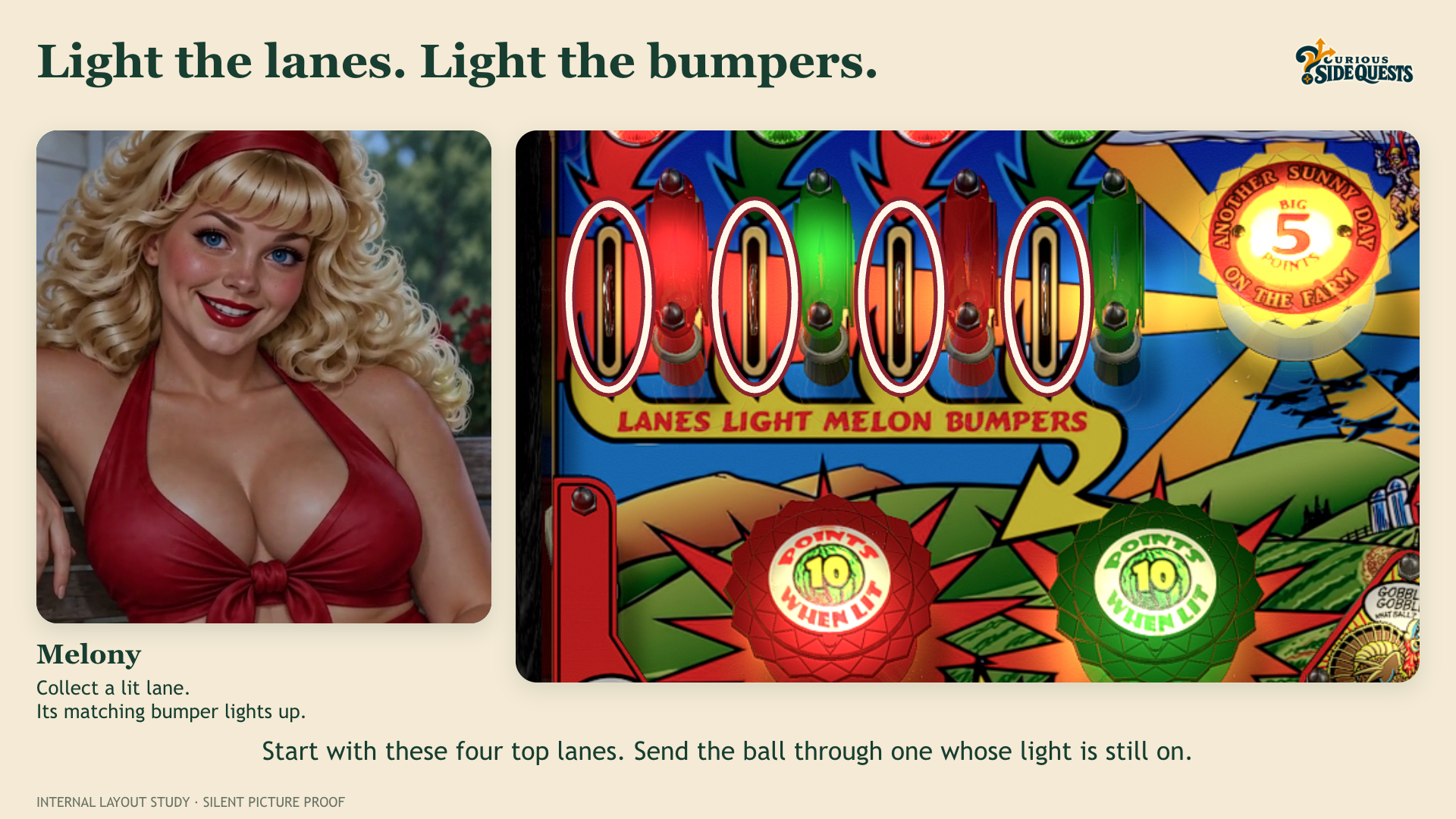
The first pass was mostly words and notes for the picture that ought to be there. Melony could say “top lanes,” but unless I showed the actual lanes, that line was useless to me as a player. I put her beside a marked view of the real playfield and checked whether the shot made sense without the narration. When it did not, I changed the line or the picture before making a video take.
Casting
Melony could not play every part
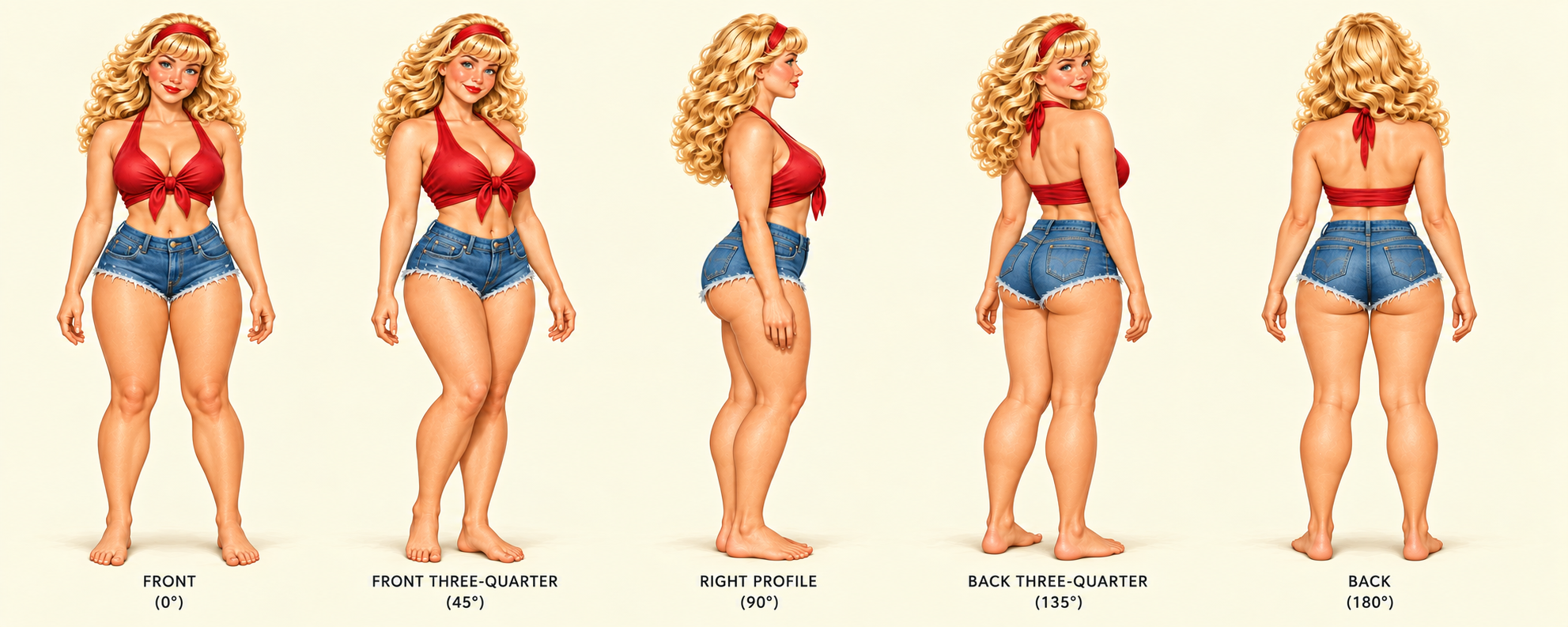
I wanted to recognize each woman before she spoke, then hear a different person when she did. That meant different faces, builds, voices, and ways of moving. I also worked out how each would respond to the table's double meanings. I needed to keep their appearance and voice references together; a good portrait was no use if the next angle turned her into somebody else.
Melony
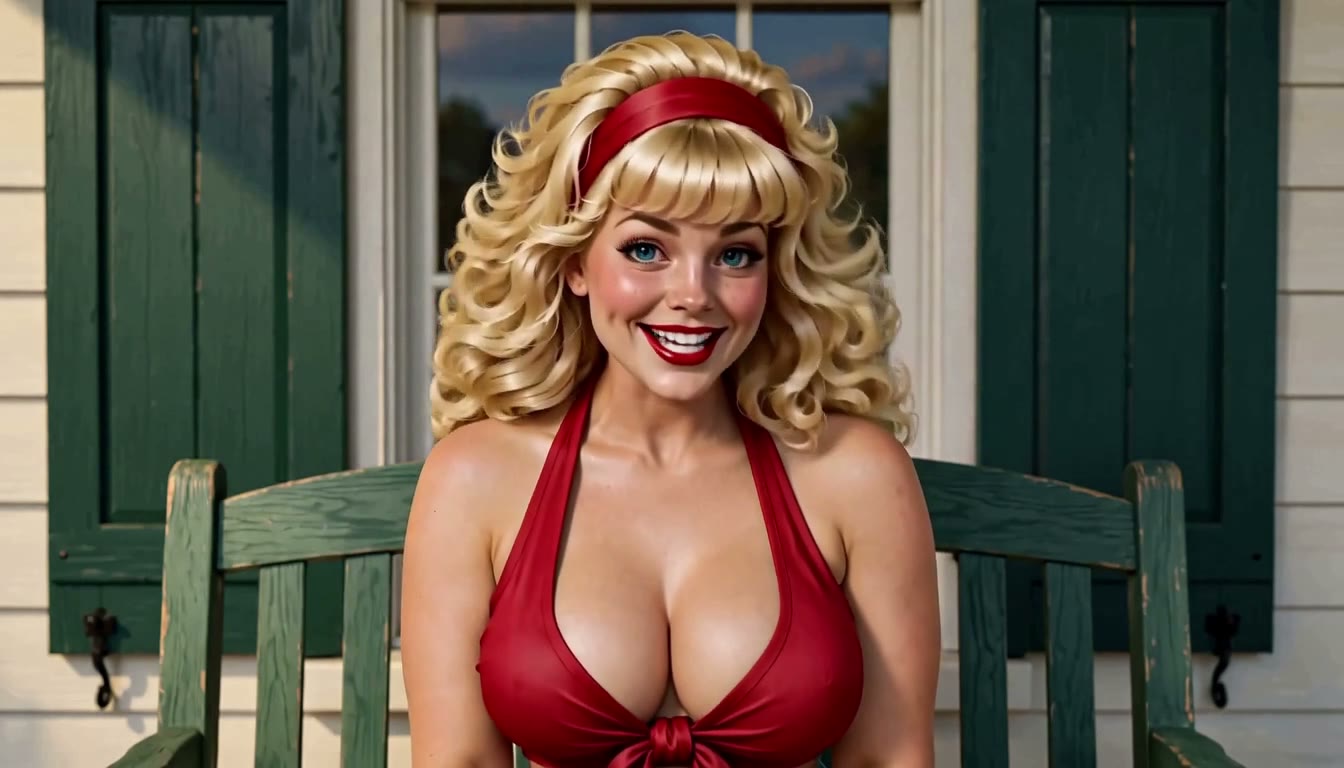
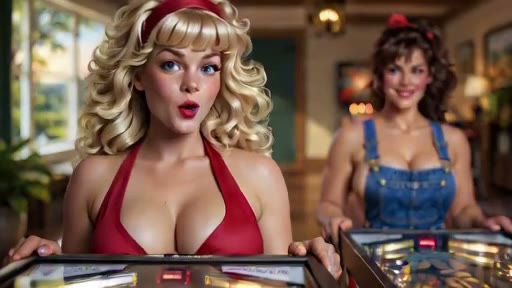
Melony is the welcoming one on the farmhouse porch. I gave her blonde curls, a rounder face with full cheeks and wide-set blue eyes, and a shorter, softer hourglass build. Her voice has a bright, playful Southern lilt. She can be enthusiastic about the game without rushing through the explanation.
Ellen
Ellen is taller and more slender, with dark hair in two high ponytails, an angular face, sharp cheekbones, and a narrower gaze. I dressed her in an ivory tied blouse so she would read differently from Melony even at a distance. Her Southern voice is breathier and more deliberate. She can tease with a look or a small change in emphasis; the yoga and dance work gave her a composed way of moving.
Hellen
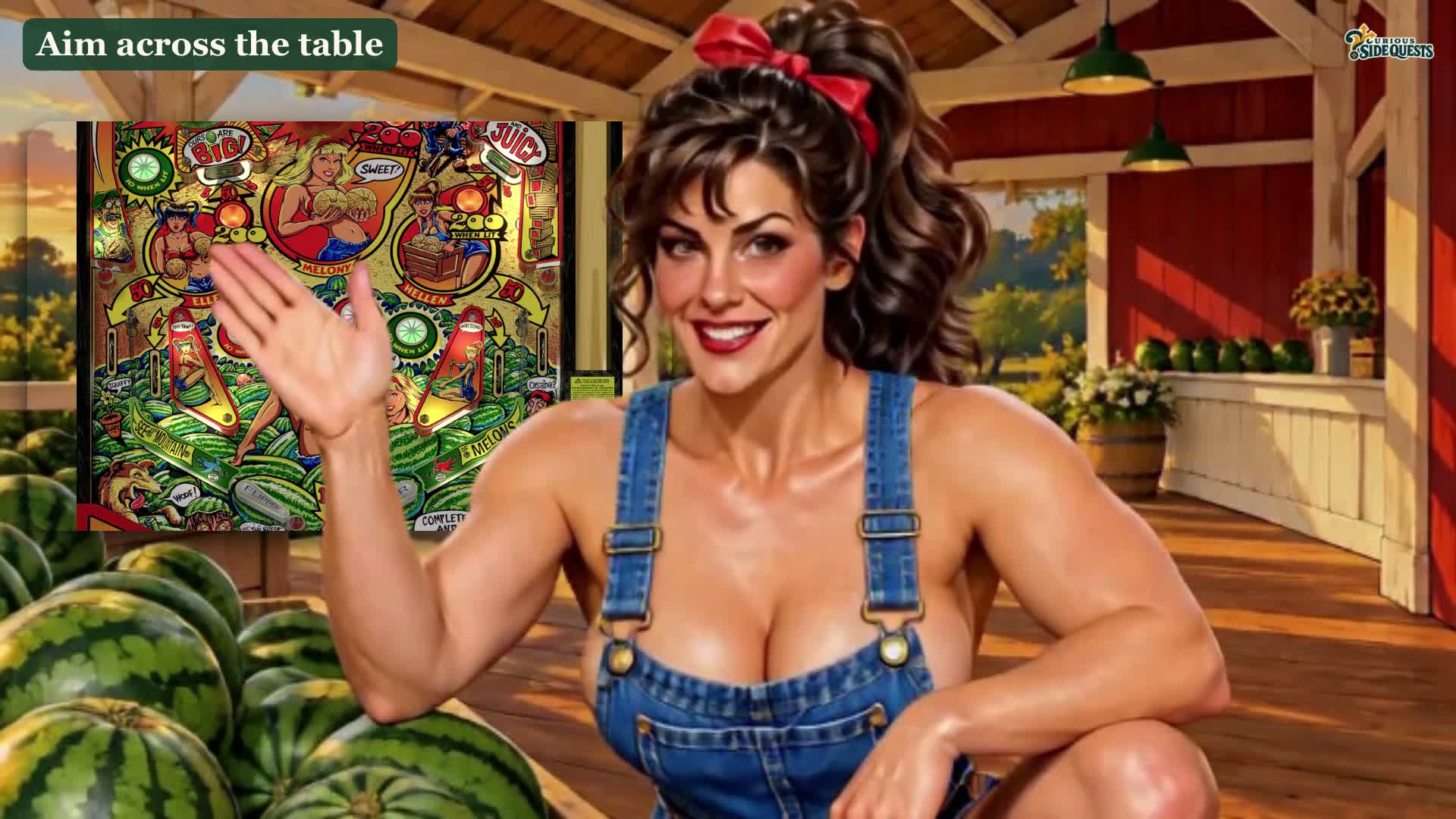
Hellen has an athletic build, a brown ponytail, a longer face, and a stronger nose. The short denim overalls made her immediately distinct from the others. I kept her own breathy Southern voice and gave her a more physical, practical manner. At the melon stand she works while she talks, so her movements come from the job she is doing.
Jo
Jo has auburn curls, freckles, a broad jaw, and fuller hips, with a camouflage top and denim shorts. She is the loosest and wildest of the group; I had a bit of sixties go-go energy in mind for her movement. Her first voice was too dry, so I auditioned a warmer Southern delivery with more lift and personality.
Building the tools
Scene Studio made the references reusable
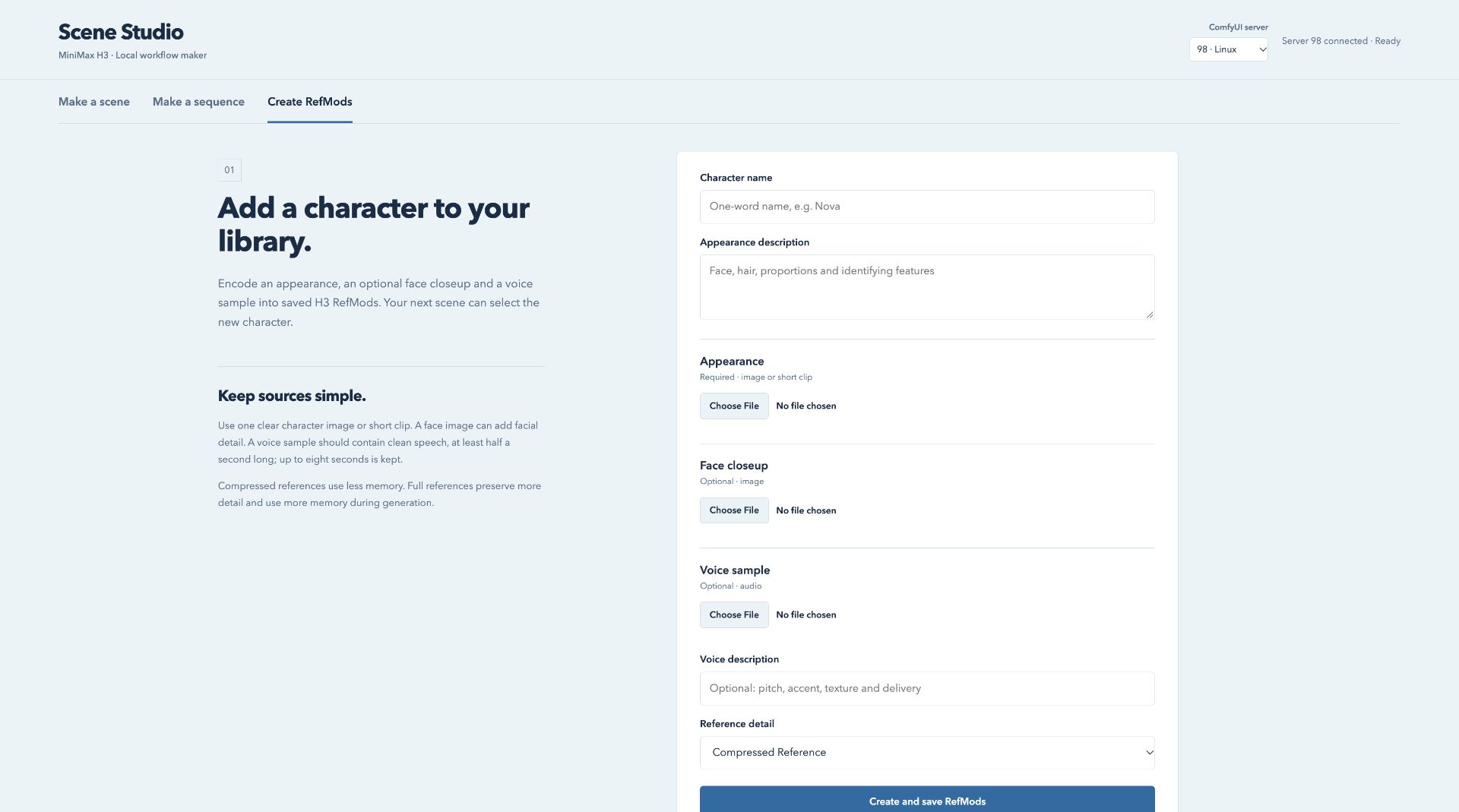
The character work became the Create RefMods part of Scene Studio, the local application I built around my ComfyUI workflows. A RefMod is a saved reference the MiniMax H3 video model can use during generation. The form takes an appearance image or short clip, an optional close-up of the face, and a separate voice sample. I can select the saved character in another scene instead of rebuilding those inputs for every take.
Appearance, face, and voice have separate jobs. The turnaround helps establish the body and outfit. The close-up gives the face more detail. The voice sample supplies a vocal identity. Keeping those inputs separate lets me change a performance without casually replacing the person delivering it. It does not guarantee consistency: I still have to watch the face, listen to the voice, and reject takes that wander.
The reference library also separates characters from scenery, camera movement, and style. A room reference should describe the room, not introduce another person into the shot. In a scene with several women, each person's appearance and voice need to stay attached to the right subject. Scene Studio assigns those references consistently when it builds the workflow.
From direction to a render
The scene description and the workflow were different problems
The main character-performance generation ran on my own machines, using custom ComfyUI workflows, primarily with MiniMax H3. The local applications organized the references, directions, jobs, and results. HyperFrames handled the assembly, and Blender handled shots that needed compositing or tracked graphics.
Scene Studio includes a local language-model step through Ollama. I can describe the scene, choose the cast, and have it fill out action, dialogue, environment, camera, and sound fields. Those fields remain editable. The language model works from the brief and saved character descriptions; that step does not inspect the reference pictures or listen to the voices.
I kept the mechanical work in code. The application selects existing references, assigns the subject and voice identifiers, connects the ComfyUI nodes, and saves an editable workflow. Asking a language model to propose direction is useful. Letting it invent a reference filename or improvise the wiring would make a different problem to debug.
I also kept saving and rendering separate. Preparing a workflow does not mean I want to spend GPU time on it yet. A generated take keeps its settings and workflow beside the video, so I can investigate what produced it instead of relying on a filename or trying to remember which experiment it was.
Performance
Melony had a favorite move
In the stills, Melony looked right. On video, she kept ending a line with the same giggle and pose. The first one made me smile. By the fifth, I was waiting for it. I changed her direction so she could use her hands to explain something and finish a thought without performing the same little routine. Ellen needed a much quieter delivery. It took watching actual takes to learn that.
After a few viewings I started noticing other problems: a line that fell flat, a gesture too big for its shot, or a face that changed between clips.
I used Scene Studio and a scene-direction processing script to turn the direction into instructions for the video model. Workbench gave me a place to compare the resulting takes with their settings. I could change the gesture, delivery, or camera instruction and judge the next attempt against the previous one.
It was good at taking direction. I could say “Melly needs to be flirtier here,” or “She needs to say this line a little faster.” Sometimes the problem was that a delivery did not fit the woman's personality. I had to explain why she would not say the line that way and describe the delivery I wanted instead.
Sometimes I changed the direction; sometimes I kept the direction and changed the seed, the number that sets the generation's random starting point. A different seed could give me a slightly different performance to judge. Another version might contain a gesture, expression, or way of saying the line that I liked. I still had to find it by watching and listening.
There is much more to what somebody is saying than the words. We understand people through how they act and how they say those words. A take could have the correct dialogue and still miss what I wanted the character to mean. I was looking for the delivery and behavior that made the line work, and that was not something I could judge by reading the generated script or checking that the words were right.
That was repeated work. I would watch and listen, change the direction or try another seed, and make another take. I often had to do that over and over before the movement and delivery matched what I had in mind.
I made controlled comparisons of motion adapters, also called LoRAs, at different strengths. These are additional model weights that influence the generated performance. Changing the strength could change more than the movement I was trying to adjust, so the comparison had to include the face, hands, timing, and voice. A stronger effect was not automatically a better performance.
Staging
The farm had to connect from shot to shot
I made a porch, a melon stand, a field, and a pinball room. Then I started cutting between them and found that a nice background was not enough. A character looking toward the table in one shot could not be looking away from it in the next. I set the direction of each scene against the room reference and kept revisiting the spaces as the edit grew.
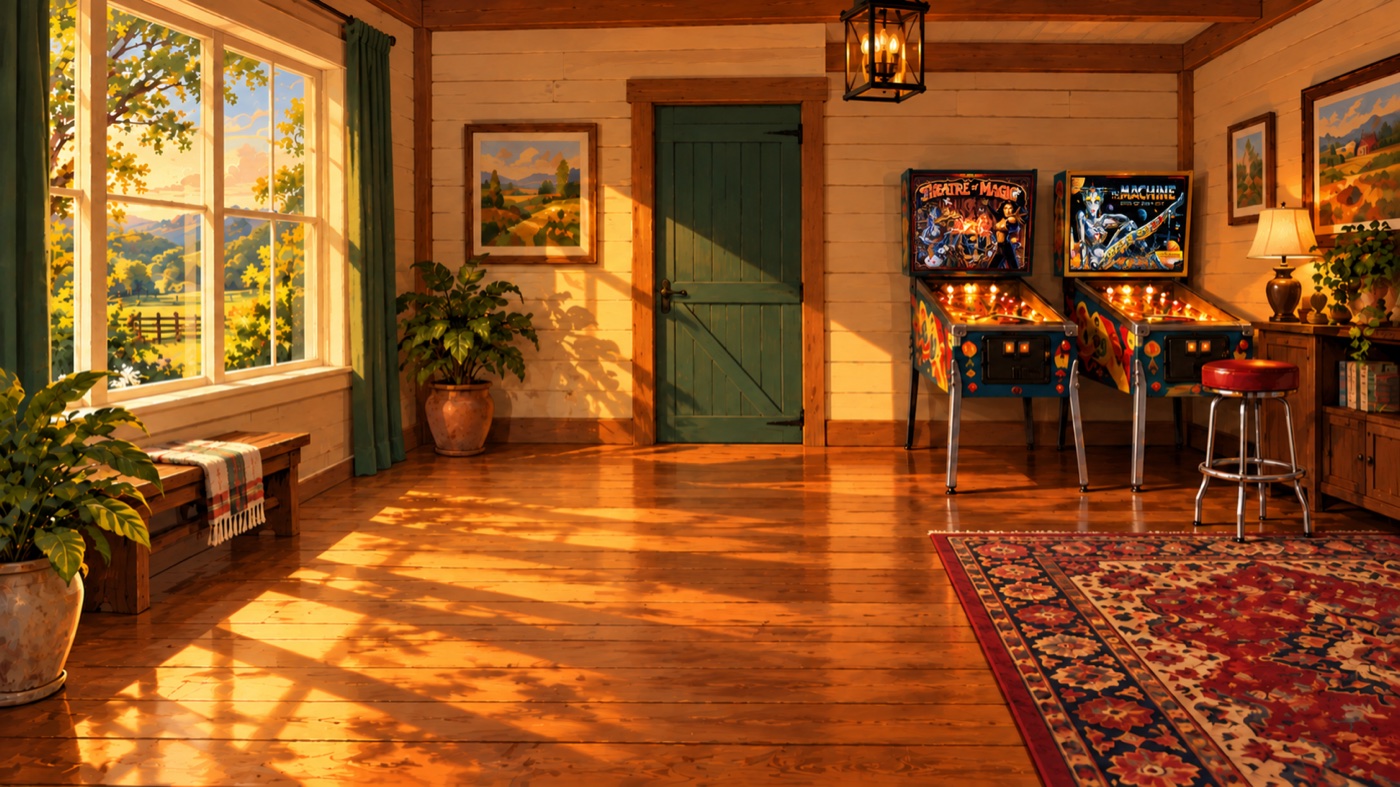
For the pinball room I included Pinbot and Theatre of Magic backglasses in the reference art. They belonged in the room when the scene was made; adding them afterward would have meant chasing their position through every angle.
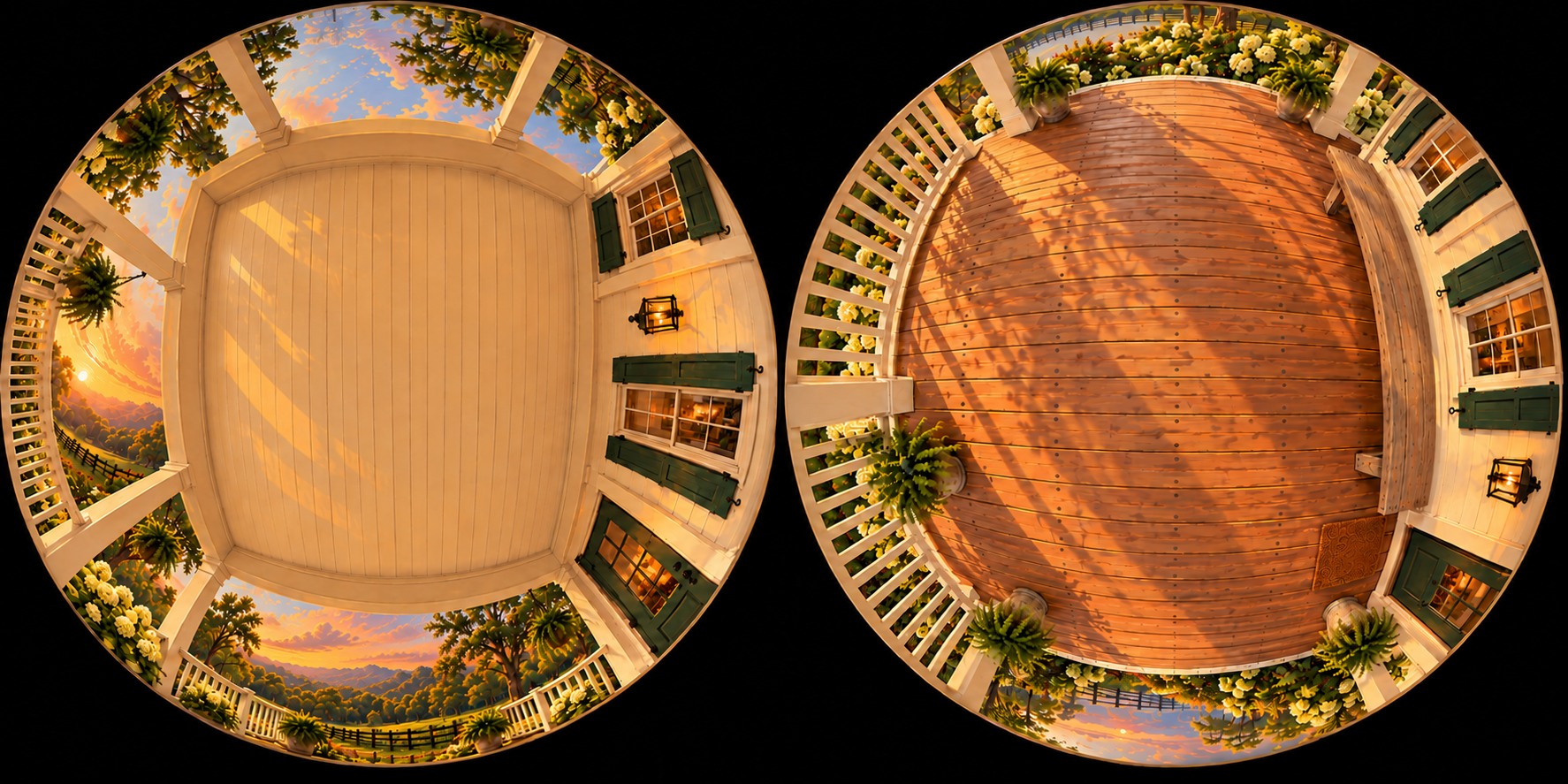
A set, above and below
These hemisphere references pair the view overhead with the floor or ground beneath the camera. They give a moving shot more of the space to work with than a single background picture.
Review and iteration
I needed to watch it as a film
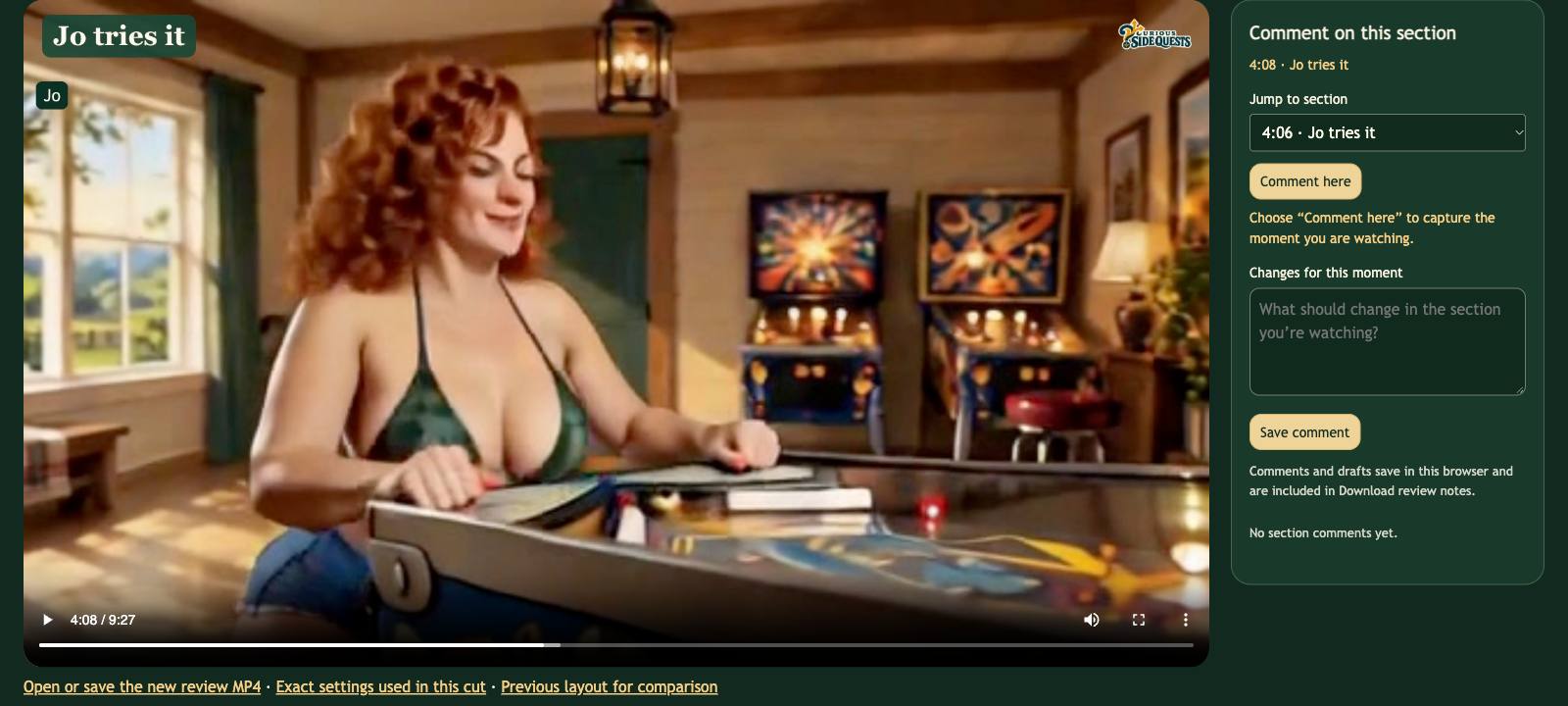
A directory full of short clips was fine until I had several versions of the same scene. Filenames could not tell me whether a performance still worked after the previous shot. I wanted to stop the film at the exact moment something bothered me, compare the takes there, and leave a note I could find again.
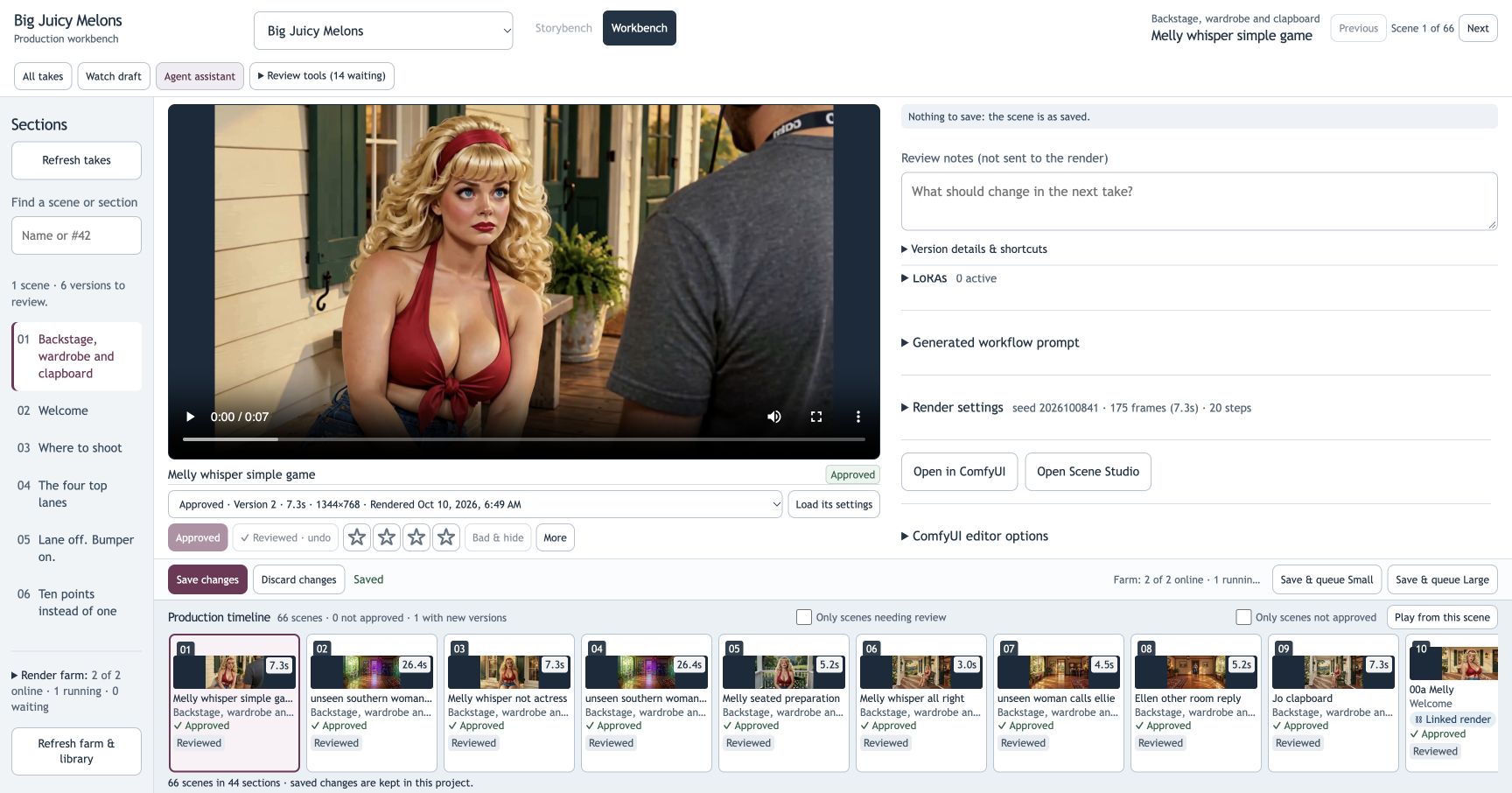
That became Workbench, the production interface in my Storyboard Workbench project, alongside a separate player for reviewing the assembled film. I could rate and select takes, inspect their settings, and change the direction for the next render. In the film player I could scrub the cut and leave a note at a particular time. Sometimes the best isolated take lost its appeal when I put it back into the film.
The scene became the thing I organized around. It holds the direction, dialogue, references, render settings, alternative takes, and review notes. In the current interface, loading a take's settings is a separate action from selecting or approving its video. That distinction matters when I want to inspect an old experiment without making it the version used in the edit.
The applications also needed to remember what they had submitted. A browser refresh or an interrupted connection should not mean another expensive render. Saved job receipts let the tools check for the existing job and collect its output. A completed render becomes another candidate; it does not automatically replace the selected take or rebuild the finished movie.
Camera and continuity
I started directing the camera
I made video references of camera moves: pans, whip pans, arcs, and shots using different lenses I know from my work. I found that asking for a move by its proper name often was not enough. I had to show the model what I meant, using other videos as references for the camera movement and lens behavior I wanted.
Some shots needed to continue without an edit. I worked on passing the end of one clip into the next so the space and movement carried through. Two good clips could still make a terrible join, which was another reason to judge them inside the cut.
For the environments, I made views in different directions as well as the upper and lower hemisphere references shown above. The point was to give the model information about what the camera would reveal. A single attractive background could not tell it what belonged behind the camera after a turn.
Continuing a shot is also different from making a new shot with the same cast. Scene Studio's continuation workflow carries the preceding section's final video and audio into the next generation, then removes the shared overlap when assembling them. I still have to check the join for a changed face, a jump in position, or a break in the sound. The existence of a continuation setting does not establish that the transition worked.
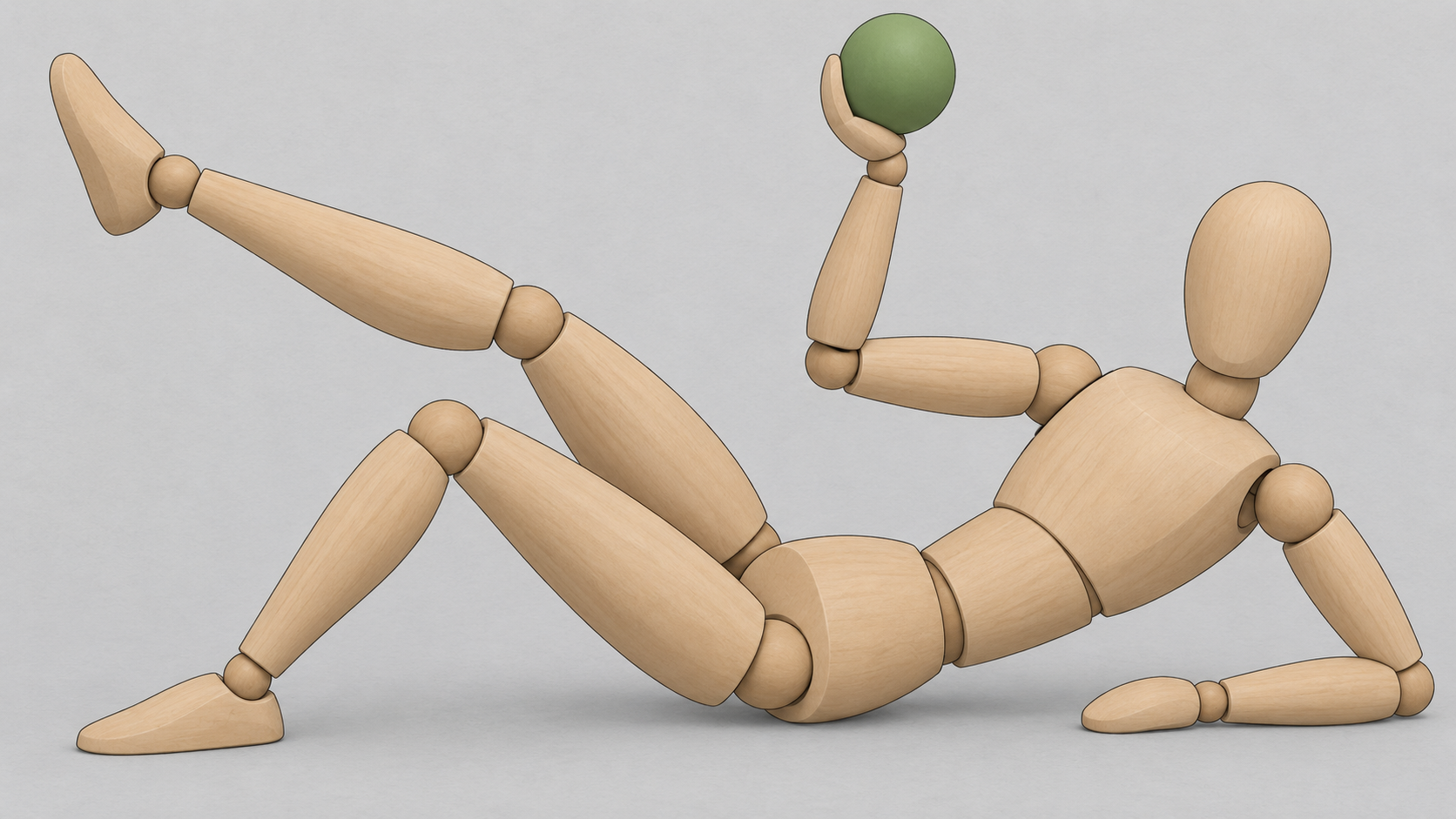
When a body position was hard to communicate in words, I made a simple wooden-figure pose guide. That gave me something concrete to compare with the generated pose: which leg was bent, where the weight was, and where the hand holding the melon ought to be.
Sound
Sound needed its own pass
Where I gave the performance direction depended on the model. For some shots, I directed the movement and delivery in the video model, which generated the voice with the picture. In others, I gave that direction to text-to-speech first. I worked on the pace, emphasis, and character of the spoken line until I had the speech I wanted, then used it to guide the video performance. Getting the right speech and getting the picture to match it could each take several attempts.
I also tried freely licensed music and music I generated. What worked depended on the scene and the delivery, not a rule about which tool to use.
Sound effects and voices needed their own pass. I moved effects that landed early, balanced them against dialogue, and lowered the music during speech. A change to the edit could undo that balance, so I kept listening after each picture change.
Finishing the picture
A bigger render could change the shot
I decided to make the titles an homage to the opening titles of The Good, the Bad and the Ugly. Art of the Title and Bright Lights Film Journal both discuss Iginio Lardani's design.
Sometimes a small render was exactly what I wanted: the voice, the phrasing, and the camera shot all worked. But it was still a small video. Changing the resolution and using the same direction did not simply give me a larger copy of that performance. It produced another version, which could change the things I had liked.
To carry that performance into a larger version, I had to base the new video on the approved small take itself. That route used the small video as the basis for scaling up and adding detail, rather than asking the model to perform the scene again from the direction and character references. It took longer than making a fresh take.
I would run both approaches in parallel. One job made a fresh large take from the direction and references. The other made a large version based on the small take I already liked. Then I compared them. I wanted the video-based version to carry over the performance, but the fresh large take might do something interesting that I liked better. Having both let me make that choice after watching them.
I assembled the film in HyperFrames and brought shots into Blender when I needed more control over an effect or a tracked graphic. I also experimented with the virtual pinball table model. In one composite, Hellen's bent knee vanished from the cutout. I corrected it, watched again, and found the playfield was too small. Fixing the cutout did not fix the shot.
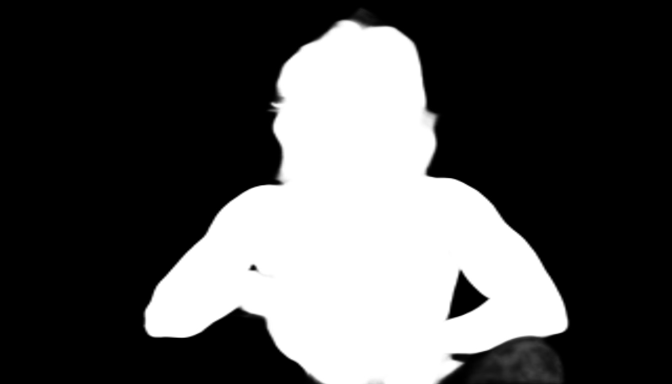
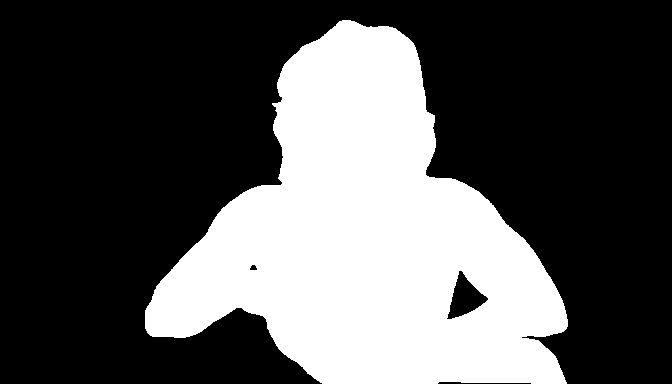
For that cutout I used SAM2Matting to separate the presenter from her background. The mask is a picture that tells the compositor what to keep: white for the presenter, black for the removed background. I corrected the starting mask to include the missing knee, then carried that outline through the moving shot. Hair, fingers, and fast gestures still needed inspection in motion.
I treated the playfield graphics separately from the generated acting. The actual lane bank and the relationship between a lane and its bumper needed to be legible and accurate. A close photograph with a timed highlight could explain that better than a beautiful full-table view in which the relevant part was too small to see. I tested the table framing against the line being spoken, then adjusted the crop, scale, and timing in the edit.
Developing the planning tool
Storybench puts the shot before the render
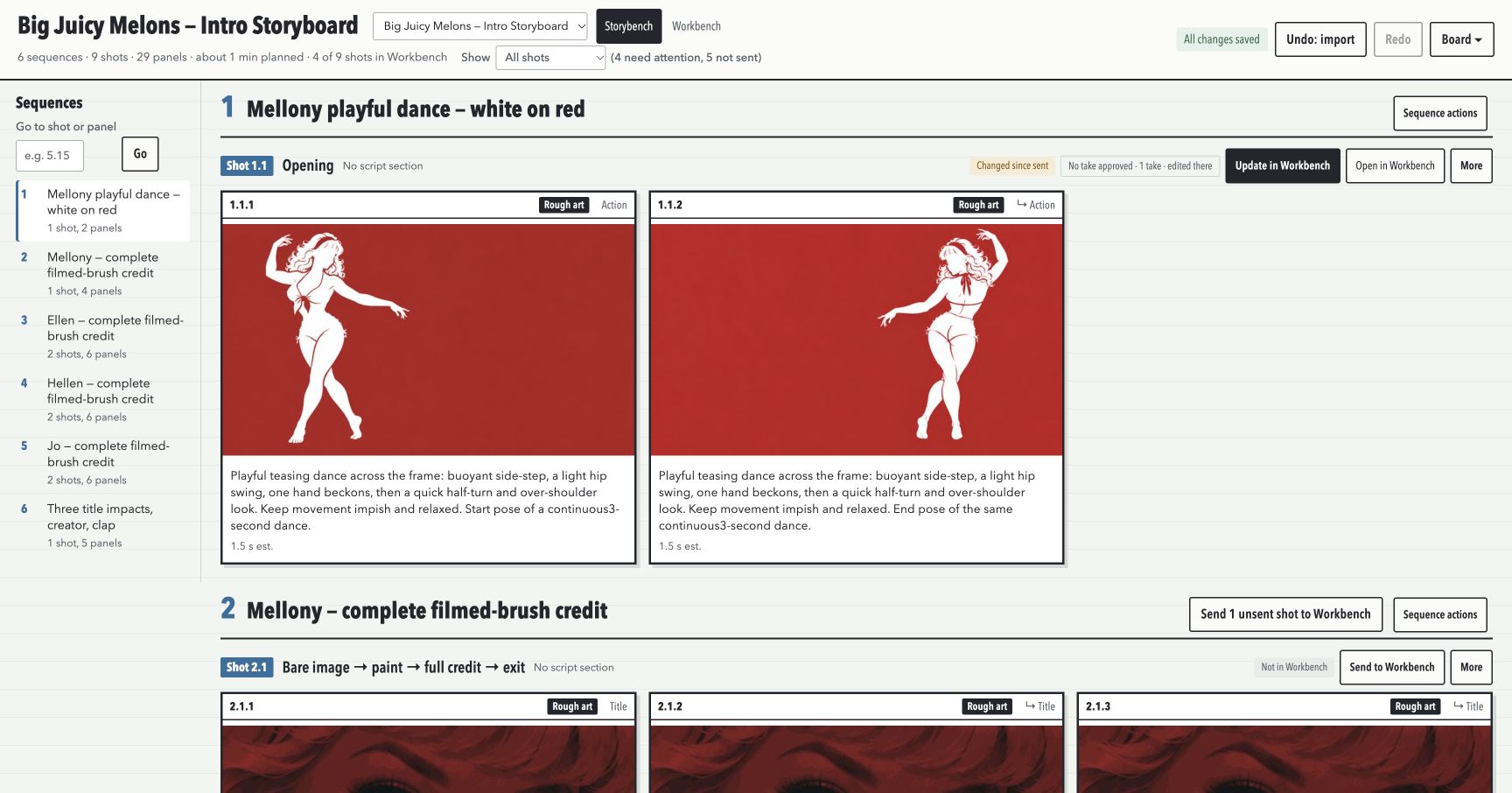
The planning side has since grown into Storybench. It organizes sequences, shots, and panels, with artwork, action, dialogue, camera notes, and estimated timing. Several panels can describe successive moments within one continuous shot. They are not automatically separate video clips.
The current Melons intro board below shows that structure. Storybench sends a reviewed shot to Workbench, where the generation settings, jobs, and takes live. Sending the shot does not start a render. The first and last selected panel pictures can become endpoint guides; the intermediate panels remain planning references, because this H3 workflow does not accept them as intermediate keyframes.
Planning and production also need to tolerate revisions. Changing a panel should not silently erase a prompt I have already adjusted while testing a performance. The handoff compares what was sent before with what changed in each application and keeps conflicting edits available for review.
Making tools for your own work
I would build around the workflow you actually have
I made these tools because I needed them while making something for my own pinball machine. The film was a hoot to make. I am sharing the process for anyone who wants to try something similar and do it better.
My applications depend on my machines, libraries, and habits. I would not suggest adopting them as your production setup. Current agentic coding workflows make it practical to build your own tools around the work you actually do. Start with a specific annoyance: finding the right character reference, comparing two takes, keeping a note attached to a shot, or recovering a job after a connection drops.
Describe the inputs, what you need to see or change, and what should be saved. Work with a coding agent to build that small part, try it on real material, and revise it when it gets in the way. A useful first version might only need to show two clips and save your choice. Add queue controls or a storyboard handoff when your own work calls for them.
The tools can organize experiments and repeat the mechanical steps. They cannot decide whether a pause is funny, a voice still belongs to the same woman, or a camera move helps the scene. Those decisions still came from watching and listening.
The next projects
Three more projects are underway
The finished tutorial is now on YouTube and plays through PinUP Popper, the menu software on my pinball cabinet. I can open it from the table when I want to watch the rules instead of reading them.
I have already started the next projects: an advertisement for a bracelet I am trying to sell online, and two more tutorials for my pinball machine, Scared Stiff and Twilight Zone. I am working out the scenes in Storybench before committing to the performances. These are the actual storyboard screens from those projects.
The bracelet advertisement
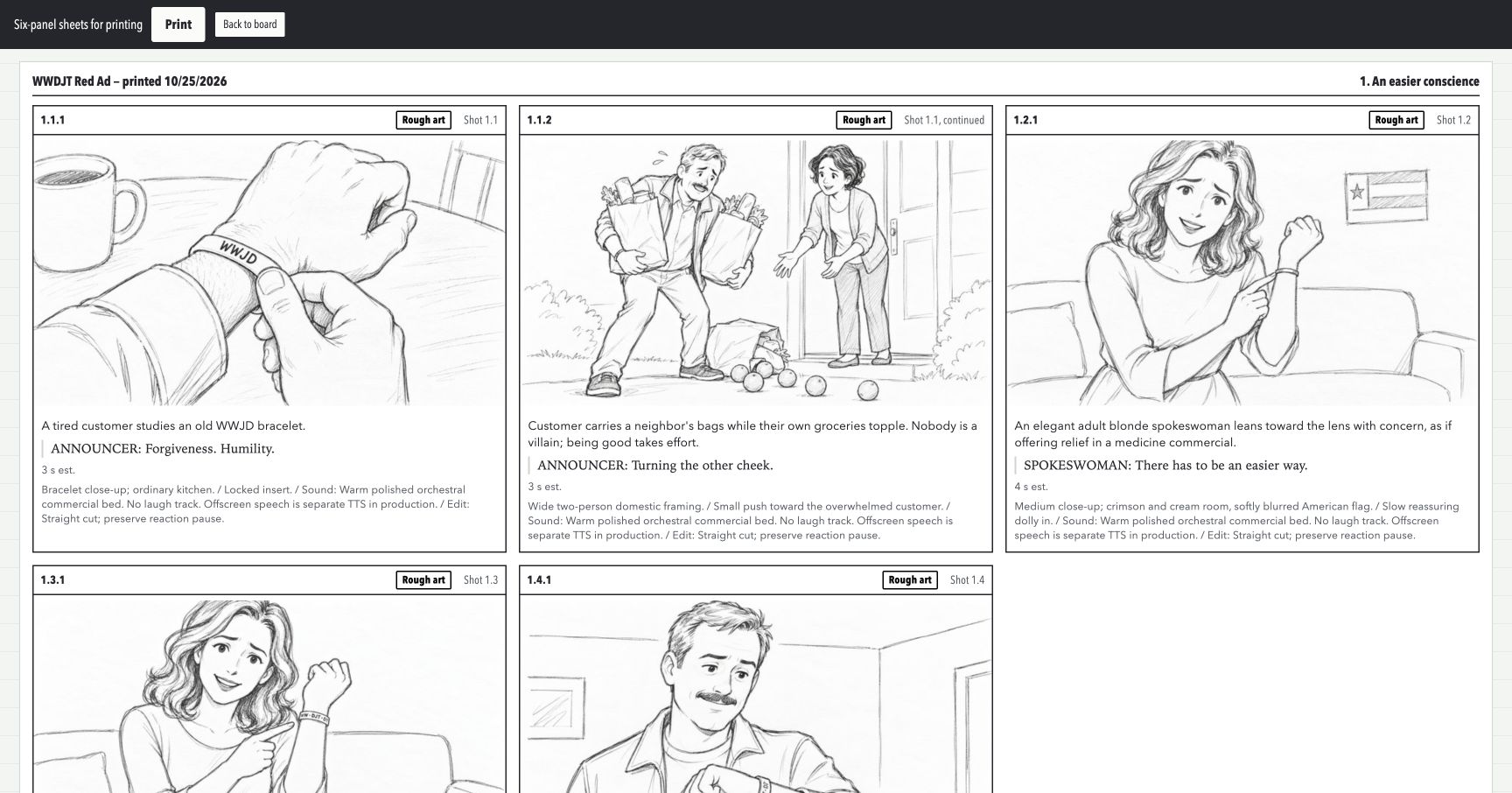
The bracelet is WW · DJT · D? The board lays out the ad's setup, spokesperson, product shots, and offer. I can work through the action, camera, dialogue, and timing while the pictures are still rough, before making the moving version.
Scared Stiff
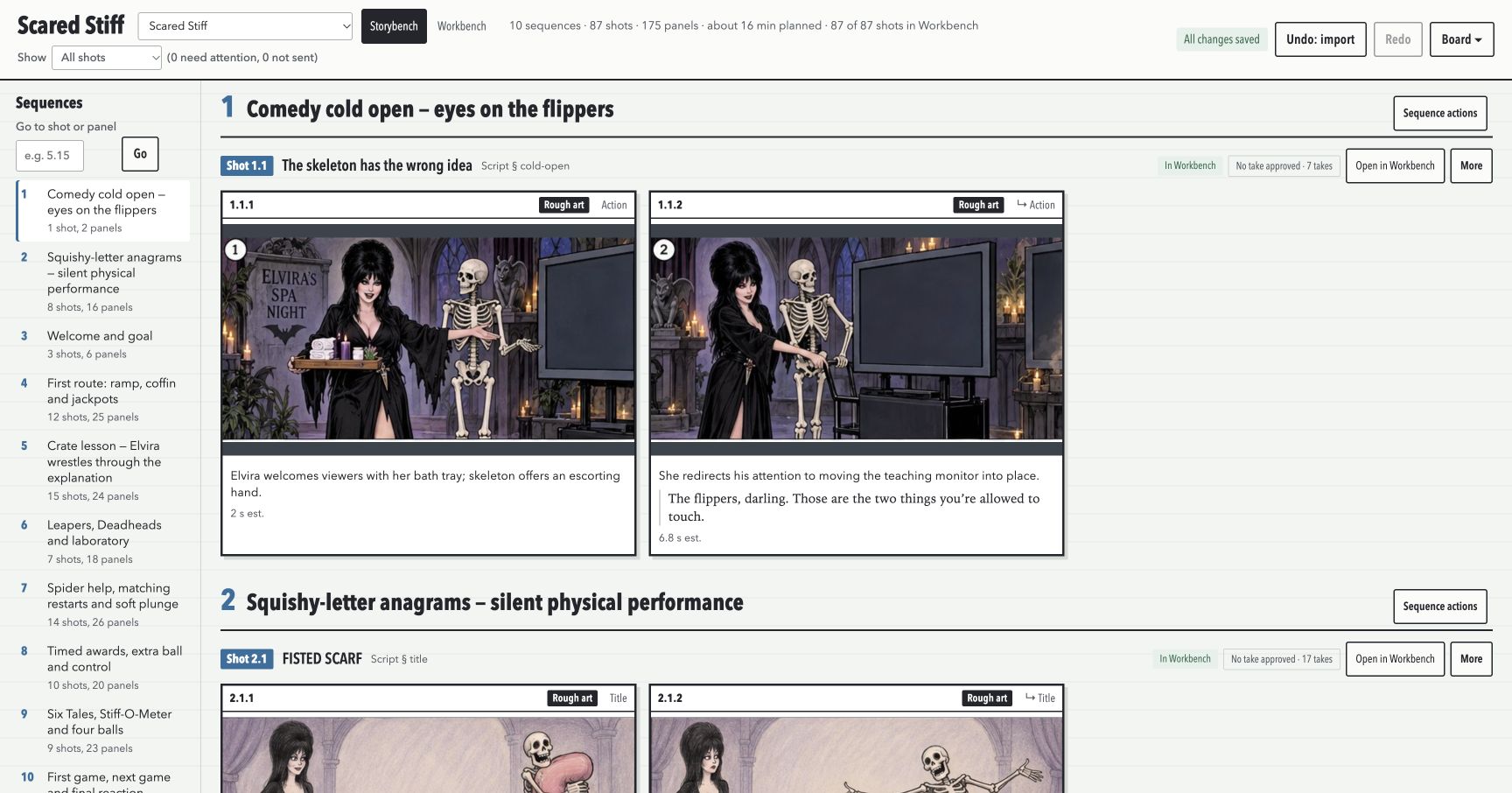
The Scared Stiff board puts the characters, props, and teaching monitor into the scene together. The opening panels let me work out the physical interaction and where the explanation will appear, rather than making a performance and trying to find room for the lesson afterward.
Twilight Zone: The Relief Man
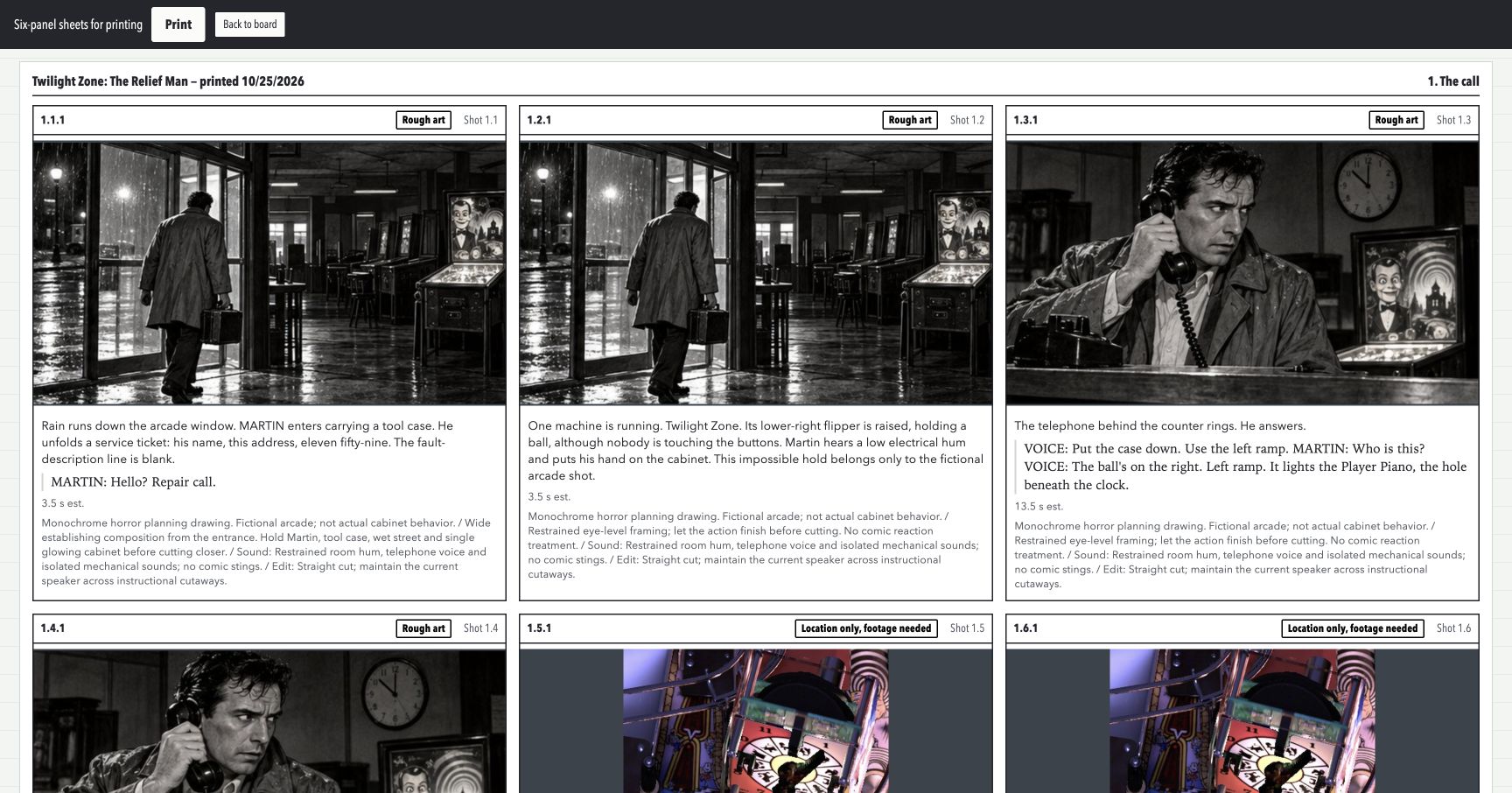
The Twilight Zone project is taking a different direction, with a black-and-white arcade story around the instruction. The board lets me plan the dramatic scenes beside the table explanations. It also marks pictures that only locate a shot and still need actual table footage, so I can see what remains to be made.