When we have a pinball tournament at home, my wife and kid are usually in the running for first place. I never am. My initials are DAD, as they are for plenty of fathers, but their scores appear on the high-score list more often than mine. I love pinball anyway. Learning what the machine wants me to do is part of the fun, even if I miss the shot.
My fake cabinet is a desk with a gaming monitor turned sideways for the playfield and a widescreen beside it. A PinOne controller from Cleveland Software Design connects the flipper buttons. Speakers sit in the desk, and solenoids make a real mechanical clack. It's fake pinball in a fake cabinet with fake artwork and fake voices, and it tickles me.
The tables run in Visual Pinball X, and I choose one from a menu called PinUP Popper. Between balls, I want to look up a rule, see where the shot is on the table, and get back to playing. The guides belong on the same screens as the games.
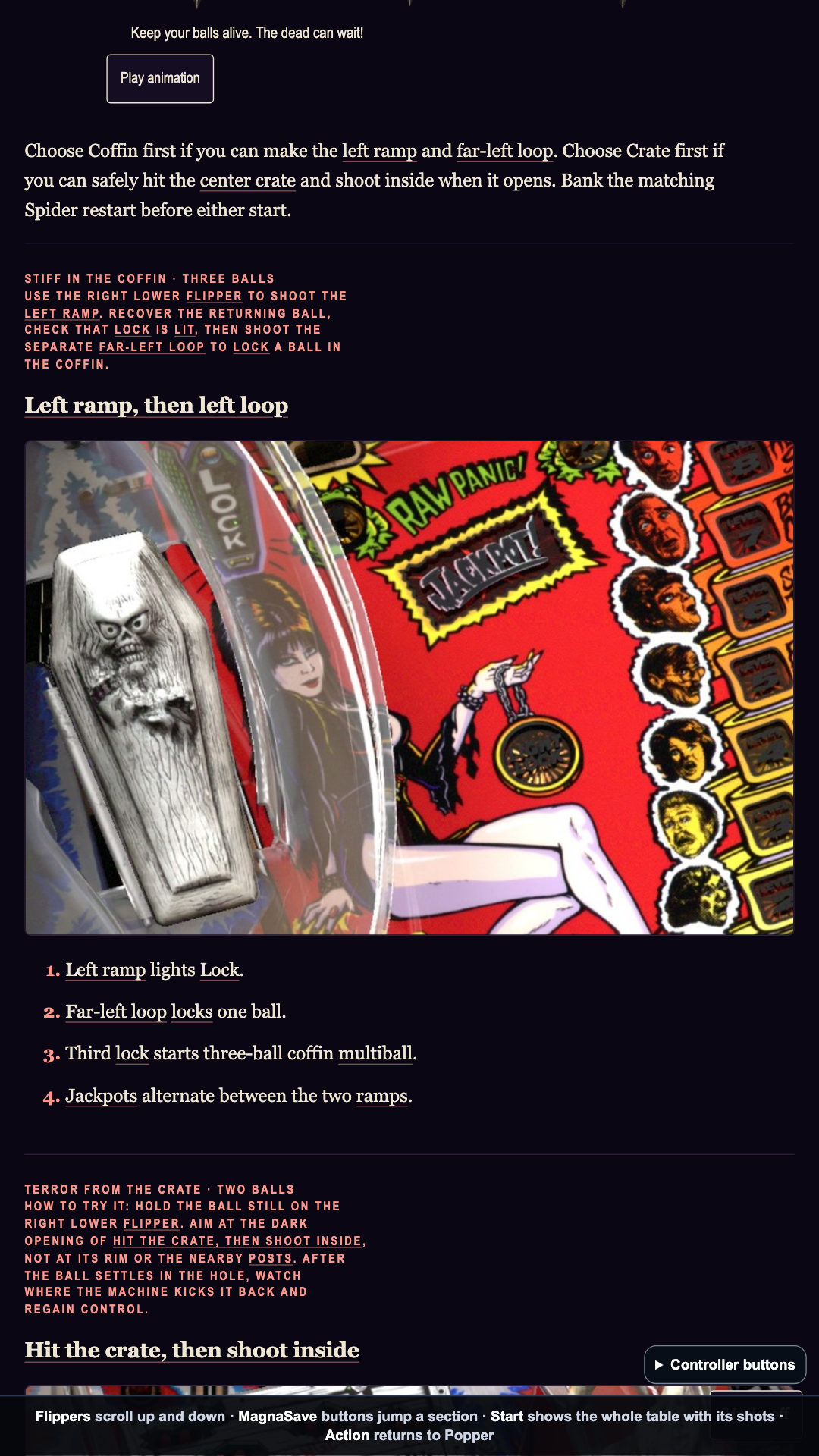
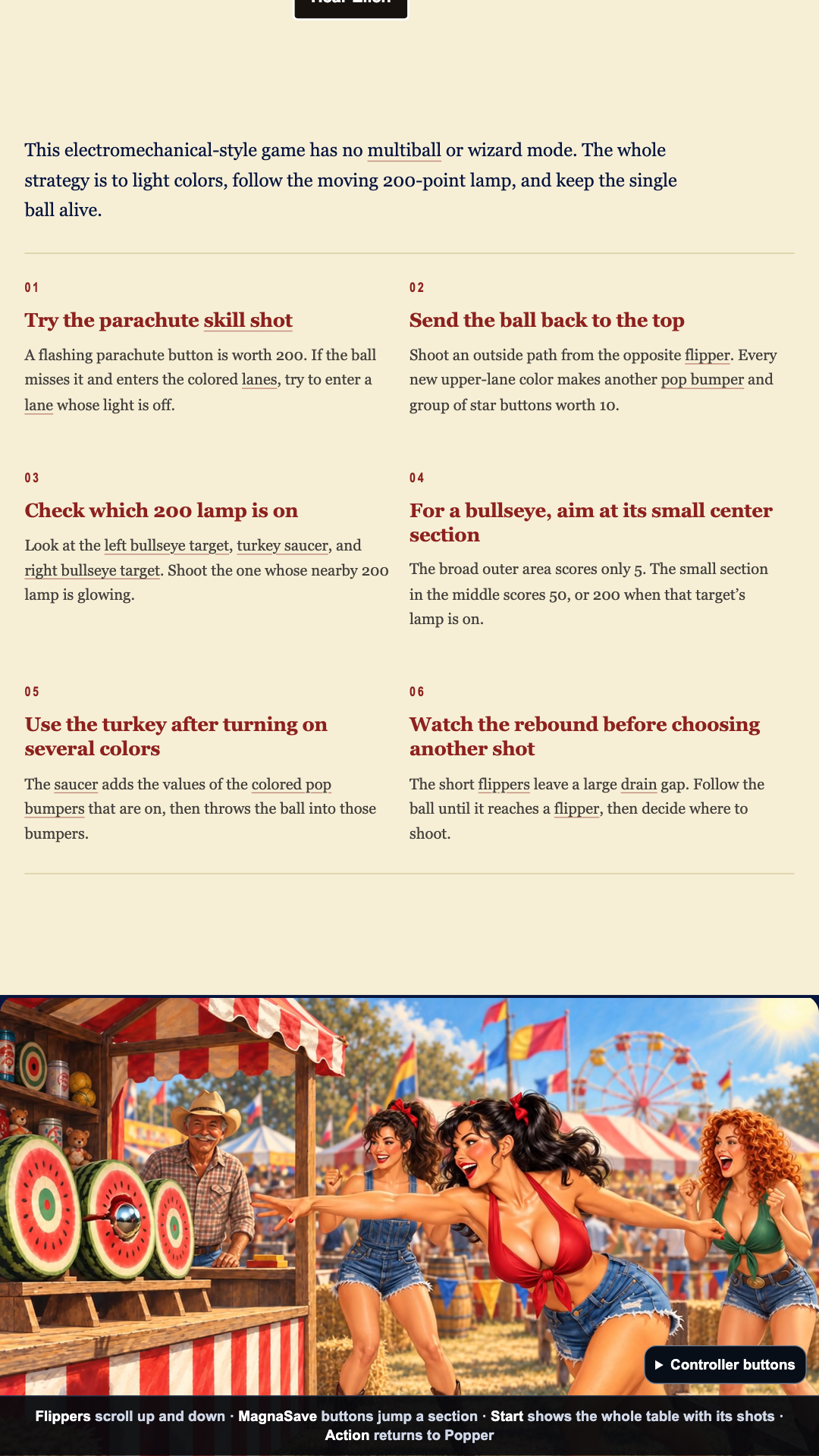
The guides begin with a pinball-guide skill I wrote for Codex and Claude. When I point it at a table on my cabinet, it checks which version and ROM I have, reads the table script, researches the rules and makes a draft with artwork. Then I play, check the shots, change the art and rewrite whatever does not make sense. The guides keep changing as I learn the tables.
Getting the table onto the page
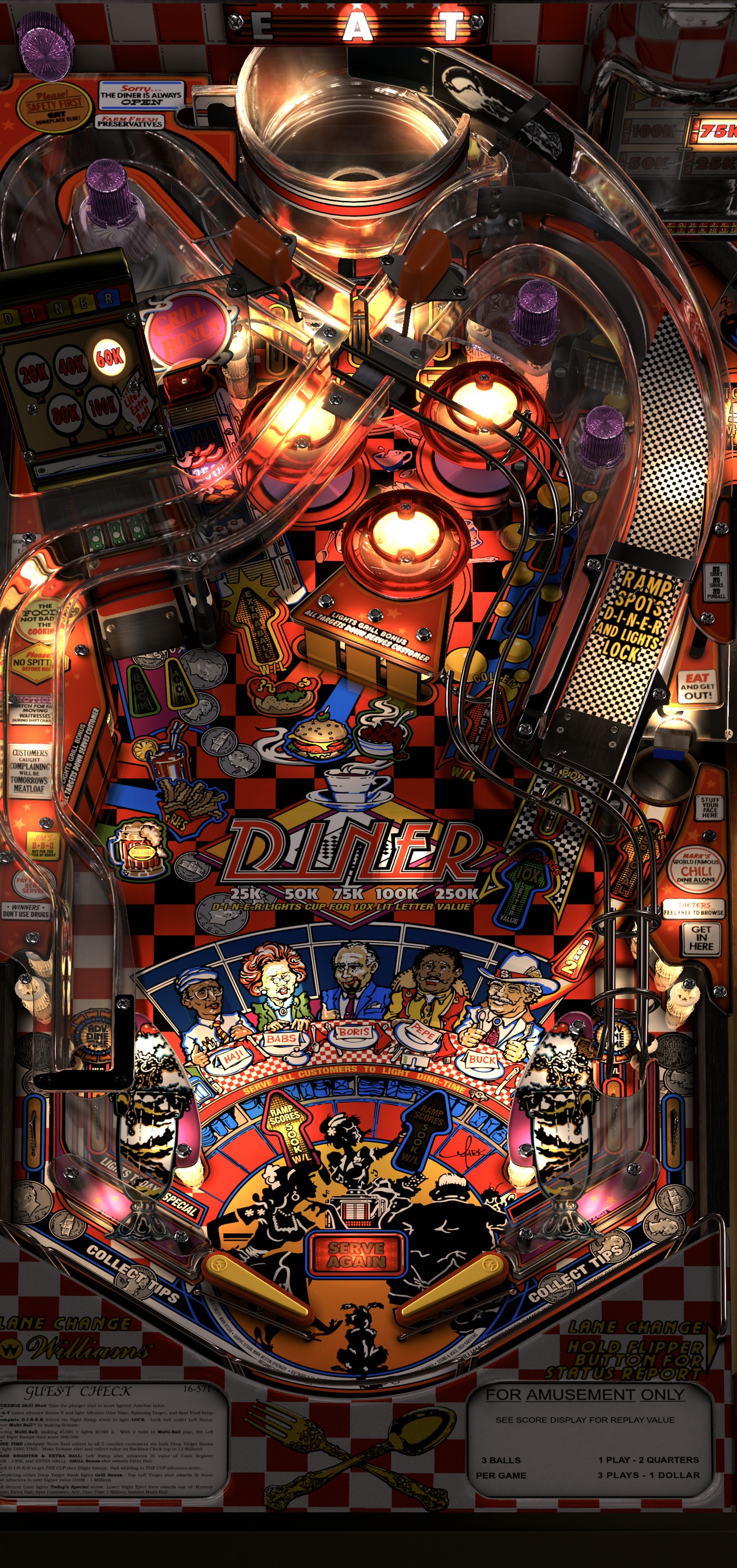
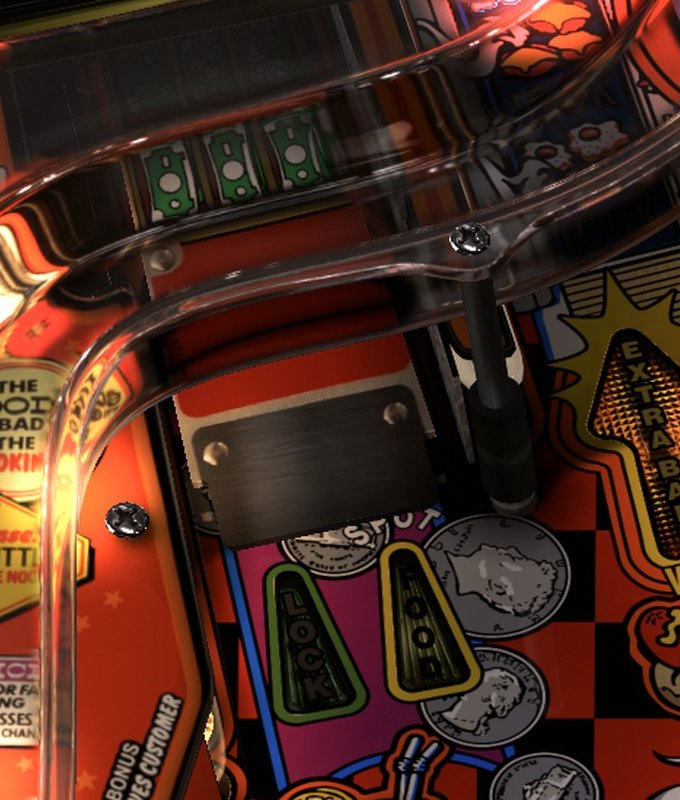
If a guide tells me to shoot a ramp, I need to see the ramp on the version of the table I actually play. I wrote programs that open a Visual Pinball X table, switch to a view from directly above and capture the playfield. Other programs turn that capture upright, trim away the screen edges and cut close-ups of the shots. I still check the crops by eye. For some tables, including Scared Stiff, I use a real-machine photo instead. Either way, I want to recognize the shot when the ball comes back to me.
The guide forgot to tell me the point of the game
Scared Stiff came first because I knew it well enough to catch mistakes. One draft listed shots without saying that the game asks you to finish six Tales of Terror before you can reach the finale. Each Tale is a smaller challenge. I read it and wrote, “you never even said this.”
After I asked for more schlock in the artwork, Elvira, the game's host, took over the opening screen. She looked great, but I had to scroll past her to find out what to shoot. Then the first-ball plan told me to lock a ball in the coffin and choose a prize on the Spider wheel, as if those were one sequence. They are two different parts of the game.
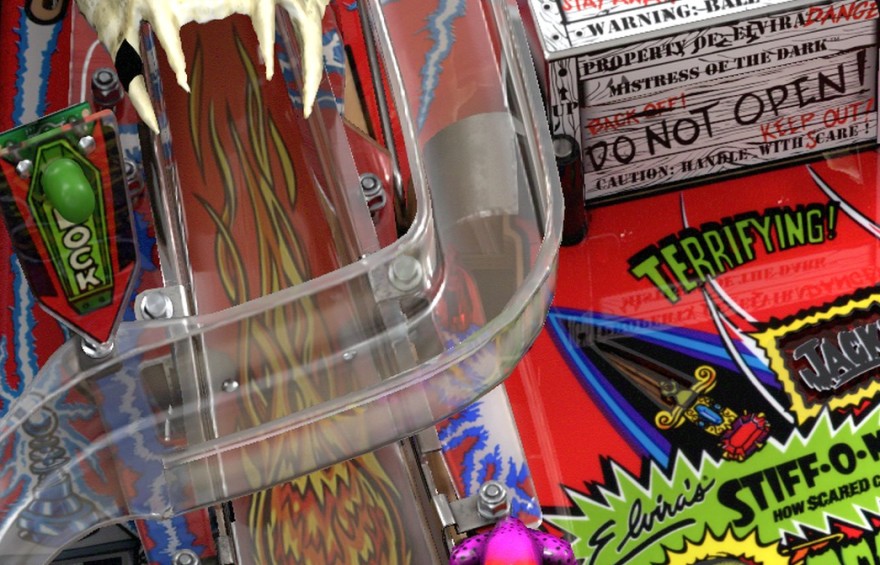
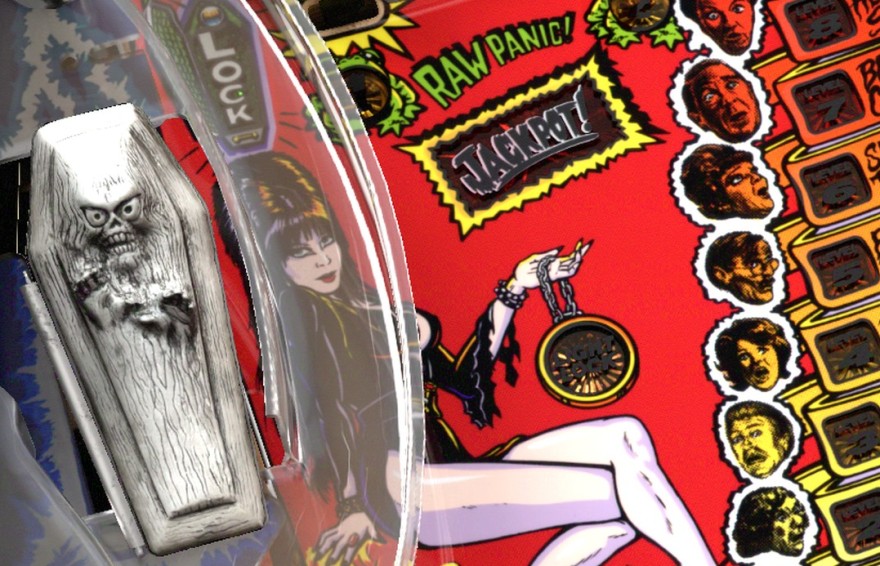
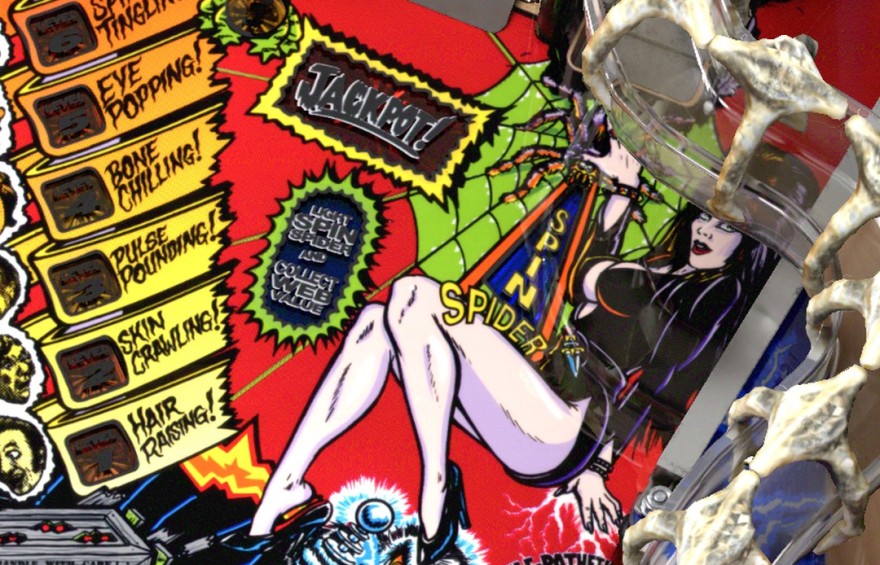
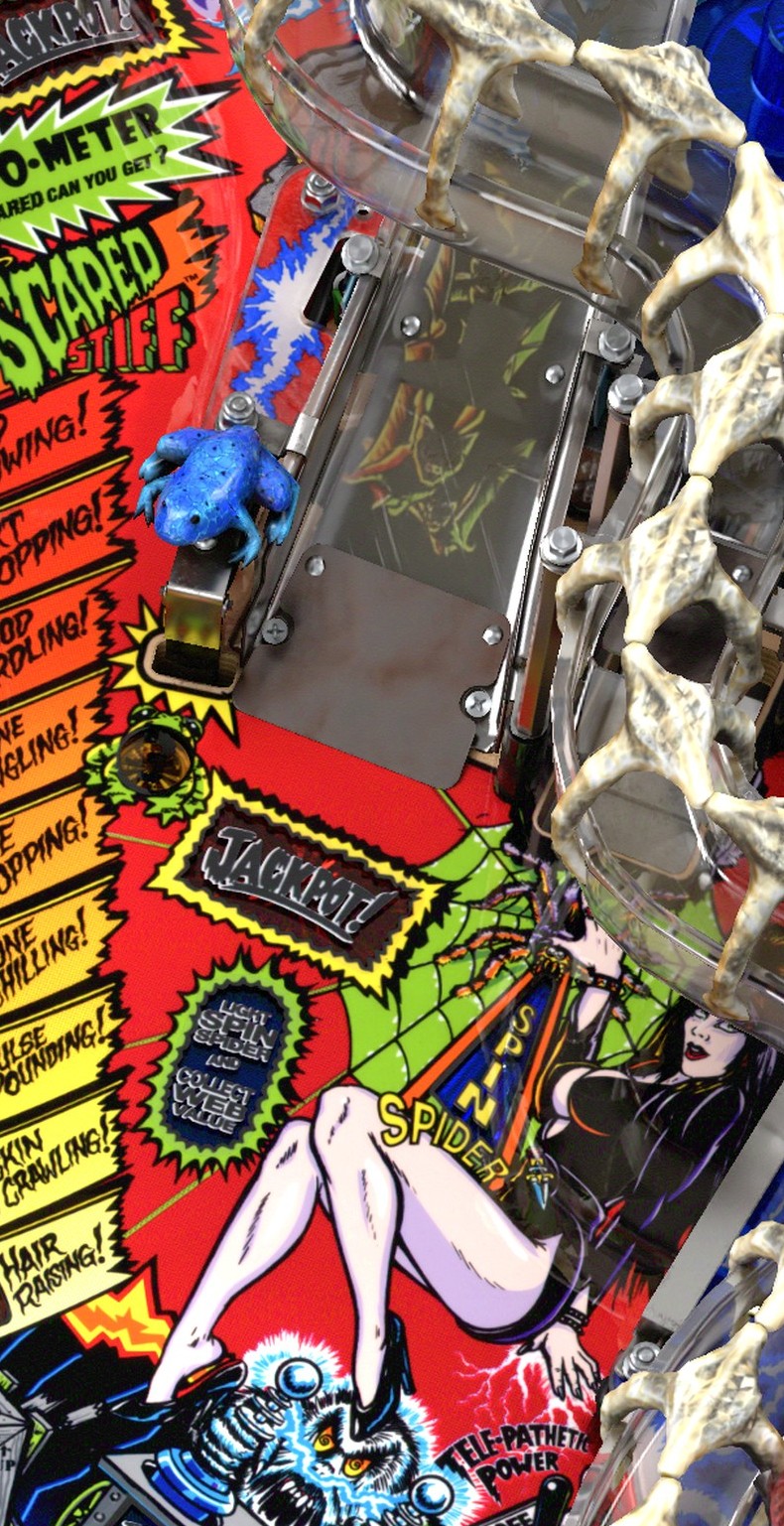
To lock a ball in the coffin for later use, I shoot the raised ramp on the left to get the coffin ready, then the curved lane at the far-left edge to send the ball in. The Spider wheel needs a different setup: the right ramp lights it, and a separate hole in the playfield starts it. The old sentence would send me toward the wrong shot, even though I knew the table.


The main goal now appears sooner, with a Start with ball one link. One layout put that link over Elvira's artwork; the current page brings the title and link into view as I scroll. I gave the coffin and Spider separate instructions, with photos of the real shot entrances beside them. “Far-left loop” now comes with a picture of the opening above the coffin.

Other rules I had to correct
The Batman ’66 guide left out a Bat-Phone scoring step. My separate Beatles guide uses Stern's song rules for the version I wanted to play. Tables with the same name do not always play alike, so I checked the rules for each version.
The Addams Family gave me seven dots instead of a shot map
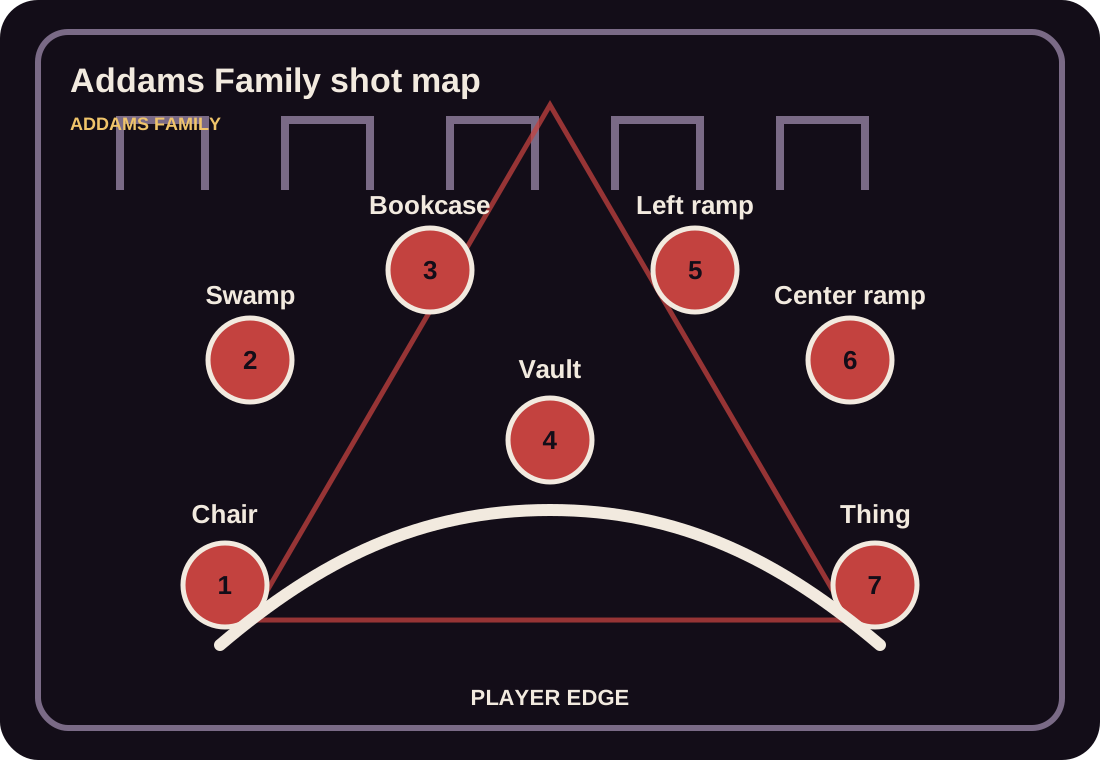
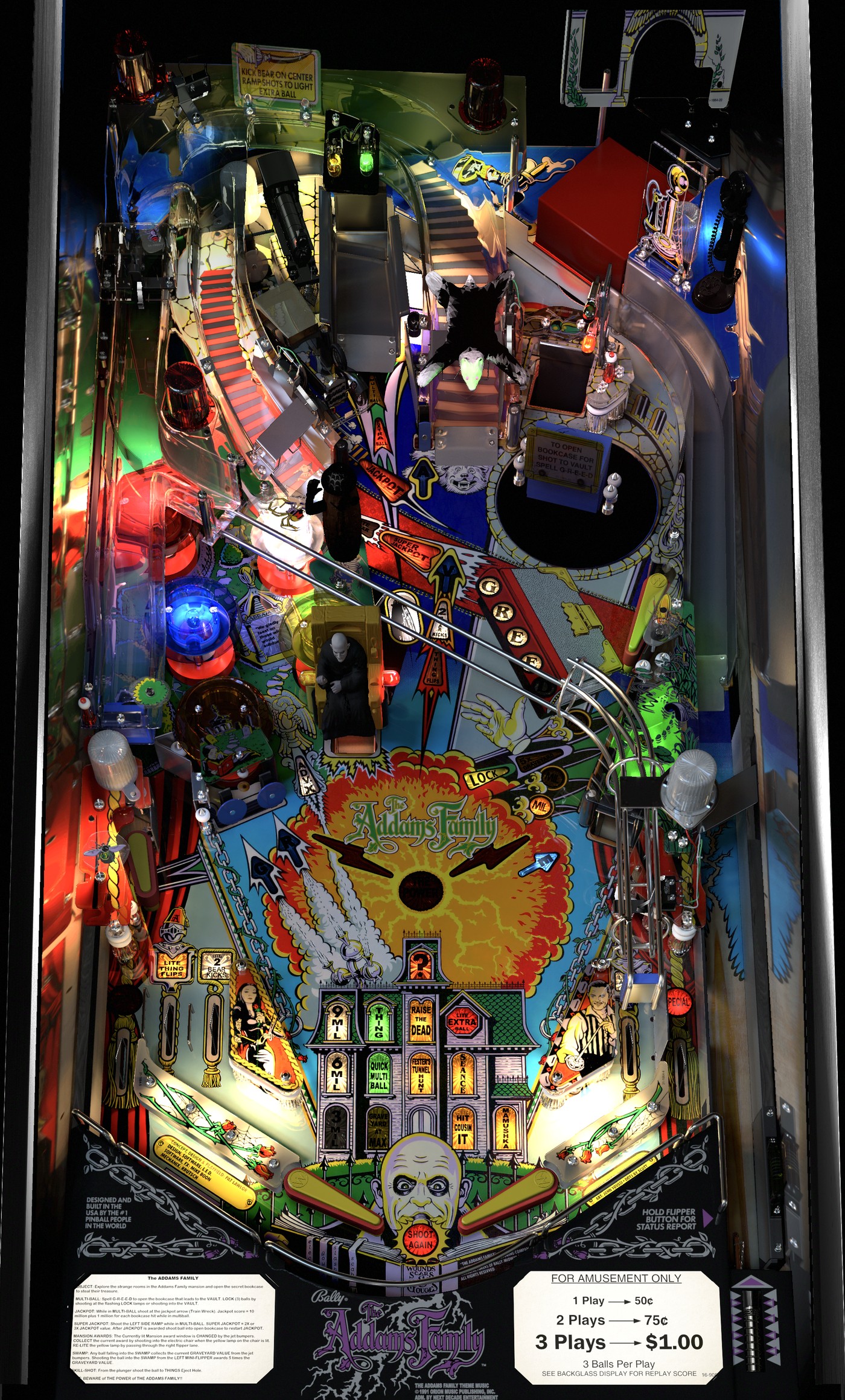
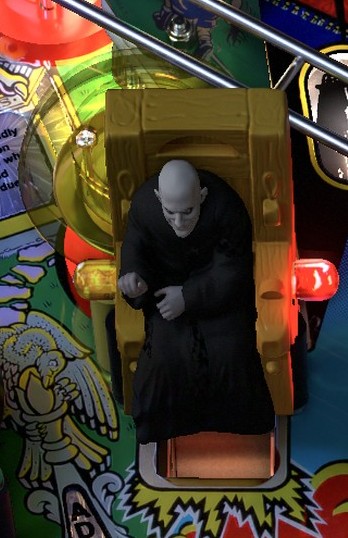
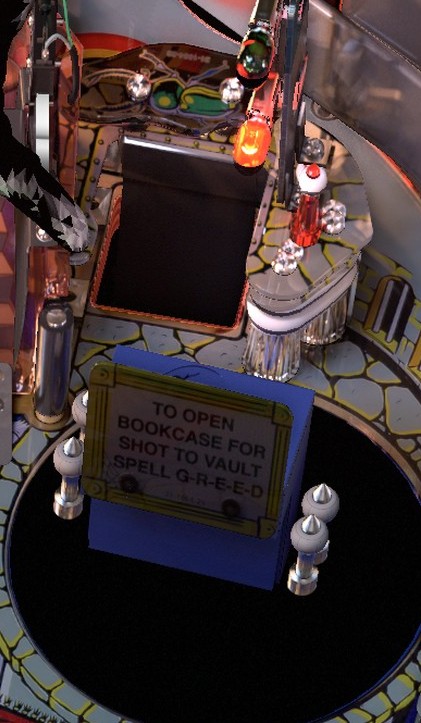
The Addams Family guide gave me a triangle with seven labeled dots. It named the Electric Chair and Bookcase without showing either entrance. I called it terrible and asked for the playfield from the table installed on my cabinet. The replacement shows the shots on the table, with close-ups where the artwork makes them hard to pick out.
 12
I wanted to see the shot, not just read its name
The cabinet guide now has a still picture of the whole playfield. When it tells me to shoot the left ramp, I press Action on my controller and look for the entrance under the skull. Another press brings back the instructions; then I return to the game and try the shot. The picture is a reference, not a view of the live game.
Guide excerpt · Scared Stiff
Find the left ramp
The ramp entrance is under the skull. Send the ball up it to get the coffin ready.
Then send the ball around the far-left loop to lock it in the coffin. The prize wheel uses different shots.
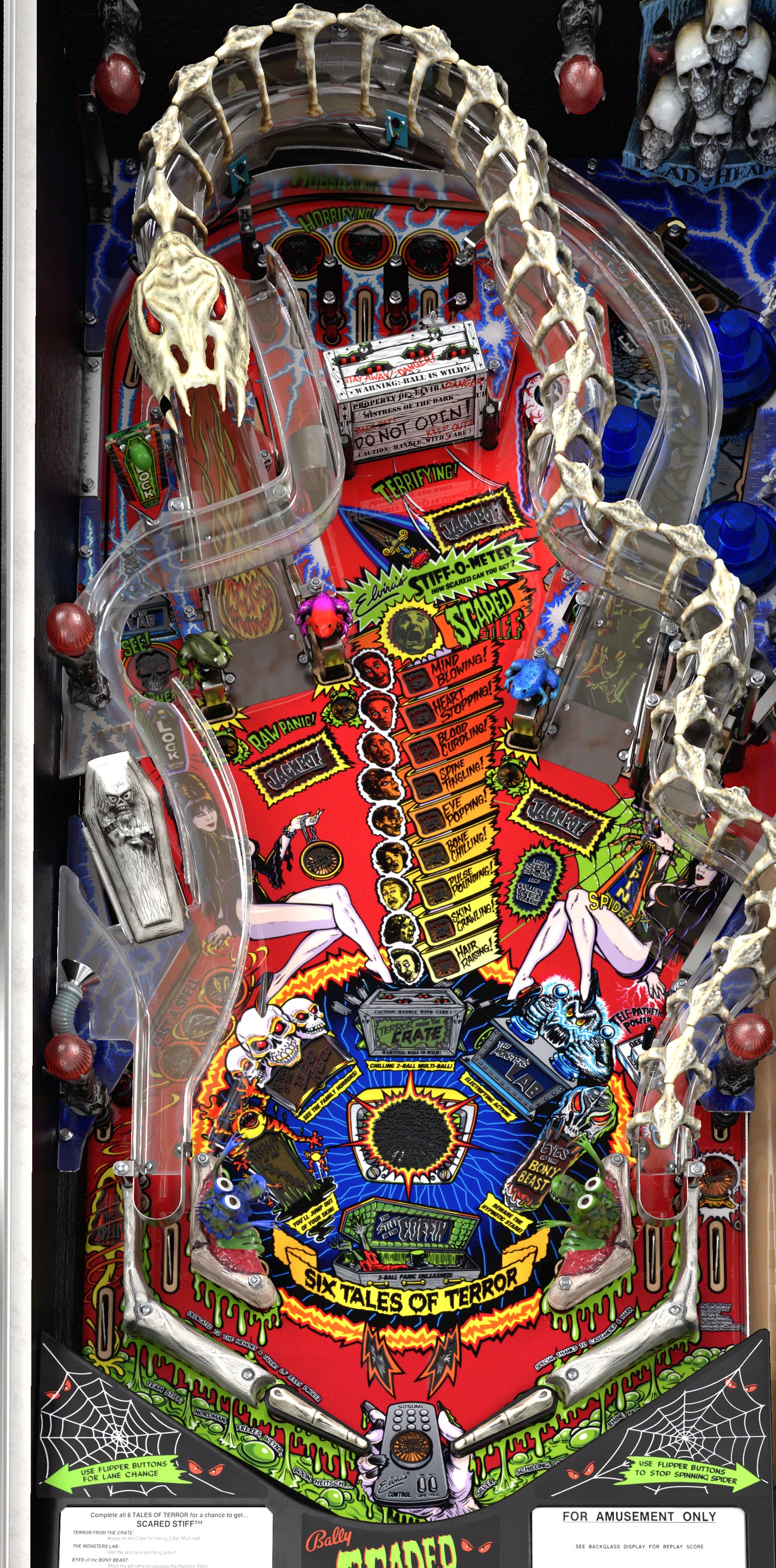 Left ramp entrance under the skull. Open the close-up.
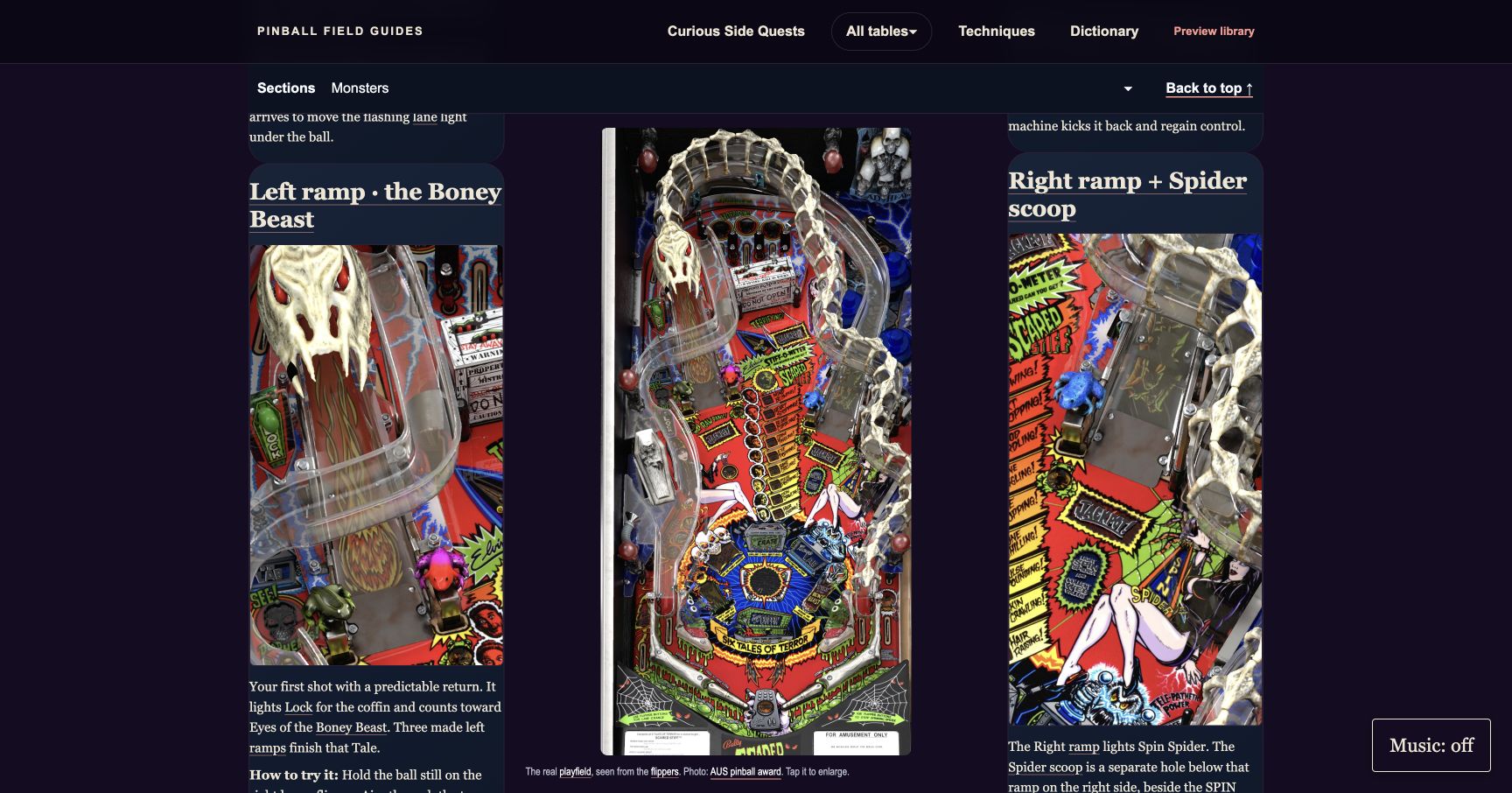
Links near the top of the page let me jump to the rules section I need. In the first layout, a playfield picture beside the text lost the top or bottom of the table. A later test fit the whole thing, though I have not checked that version on the cabinet yet.
See the local Scared Stiff layout test
Giving each table its own look
The art became another project. I converted and adapted backdrops and backglass images for the pages and the screen beside my playfield. Then I started treating each table differently. For Diner, I made the whole place claymation: the neon diner at night, Flo behind the counter, the customers, even the small scenes that sit beside the rules. Flo can move, too. That feels more like Diner to me than dropping the same illustration style onto every game.

I tried OpenAI and Gemini for images, Grok for movement, then built custom workflows in ComfyUI to work on character movement myself. Some takes worked; some changed the characters or got the action wrong. The characters also got voices. In Whoa Nellie, Melony, Ellen and Hellen speak lines from the playfield, and I can play each one separately in the guide. Hearing a voice while reading about a shot is ridiculous, but I enjoy it.
The turkey taught the wrong rule
One of those animations looked good while teaching the wrong rule.
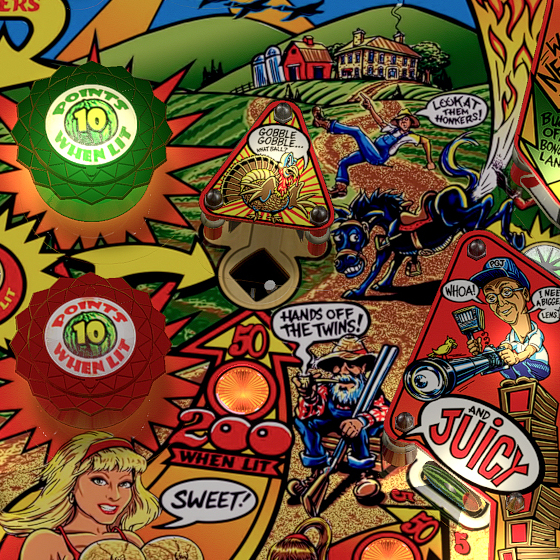
In the first Whoa Nellie animation, Melony stands beside a turkey and a brass bowl. The ball drops into the bowl and stays there. My written guide said the ball was gone too, because I had carried over the rule from the older Continental Cafe table, where that hole drains the ball. Stern's Whoa Nellie kicks it back onto the playfield. In the revised take, the ball springs out and Melony bends to catch it. The bowl is still part of the cartoon. I still need to check what the virtual version on my cabinet does with that shot.
The Cirqus Voltaire aerialist had three legs
An aerialist had an extra leg in my first Cirqus Voltaire picture, and I missed it. After I asked for a correction, a local ComfyUI version lost performers and made up lettering. I kept the corrected first picture.


Big Bang Bar, Theatre of Magic and Funhouse have moving artwork on the backglass screen too. I like having those characters around while I choose a table.
More moving artwork
Putting the guides where I play
Whoa Nellie's guide existed, but the cabinet's table menu could not open it. My request for artwork for a Tutorial button produced a gallery of pinball pictures. What I needed was one button along the bottom of Popper's menu, beside Play. After I clarified that, the control went into place. Now the guide for whichever table I have selected opens from there.

Closing a guide while Popper was still showing its loading screen crashed Popper. I had to Ctrl-Alt-Delete and restart it just to get back from looking up a rule. I wrote an early-close fix and tested it against a stand-in for Popper's loading screen, but I have not verified it on the cabinet. For now, I wait for the real loading screen to clear before closing a guide.
My Popper setup is on GitHub. The version installed on my cabinet works when I let Popper's loading screen clear before closing a guide. The portable installer in that repository has not had a complete live launch-and-exit test. Popper configuration is a nightmare.
The next tutorial is a video
My first video tutorial for the cabinet, a silly Whoa Nellie movie, is nearly ready. I made it to learn how to make the next one, going from a script to a storyboard, shots, takes, editing and final polish. Along the way I generated music tests, including this short western-swing theme. Once it is finished, I want to bring it up on the cabinet as a tutorial.
Between balls, the guide helps me check a shot before I go back to the game. DAD still does not make the high-score list very often, but I have a better idea what I am trying to do.